

Everyone posts on LinkedIn hoping for pipeline. Almost no one gets pipeline - and most people are measuring the wrong things to figure out why. This is the exact system Emil and I use to turn LinkedIn engagement into warm leads at Postbeam, and the same channel we used to grow our other business, Hoppier, to 1,200+ customers around the world. Real campaigns, real reply rates, real messages - the full teardown.
The headline stat first: HeyReach analyzed 96,000 LinkedIn outreach campaigns and found a typical reply rate around 22%, with top performers pushing past 33%. Cold email? One to five percent on a good day. In our experience LinkedIn outbound is roughly ten times more effective than email outbound - and it's still a slept-on channel. (If you want the product-shaped version of this playbook, see our LinkedIn lead generation page.)
TL;DR: the numbers that matter
- Reply rates: ~22% average on LinkedIn outreach (across 96K campaigns), 33%+ for top performers - vs 1-5% for cold email.
- Our signal-based outreach: 50%+ connection rate, 30%+ reply rate when we message people who engaged with our content.
- Our cold campaign math: 720 connection requests → 133 accepted (18%) → 33 replies → 7 tagged interested.
- The audience: 1.3B registered LinkedIn members, ~300M monthly actives, ~130M daily actives - and less than 1% post monthly.
- The limits: ~200 connection requests per week; free accounts get only 3 invite notes per month.
- The framework: Fit (ICP) → Intent (signals) → Context (reference what they engaged with).
Step 0: Make sure your buyers are actually on LinkedIn
LinkedIn has 1.3 billion registered members across 200+ countries, but only around 300 million are active monthly and roughly 130 million daily. If you sell B2B, your buyers are almost certainly there - we know people who sell to stem cell clinics and even those buyers are on LinkedIn. The real question is what percentage of your segment is active, because that changes your response rate.
One counterintuitive note from Emil: don't write off the lurkers. Business owners who check LinkedIn once a month get far less inbound than power users - and a less crowded inbox can mean a higher reply rate.
Step 1: Dial in your ICP with Sales Navigator
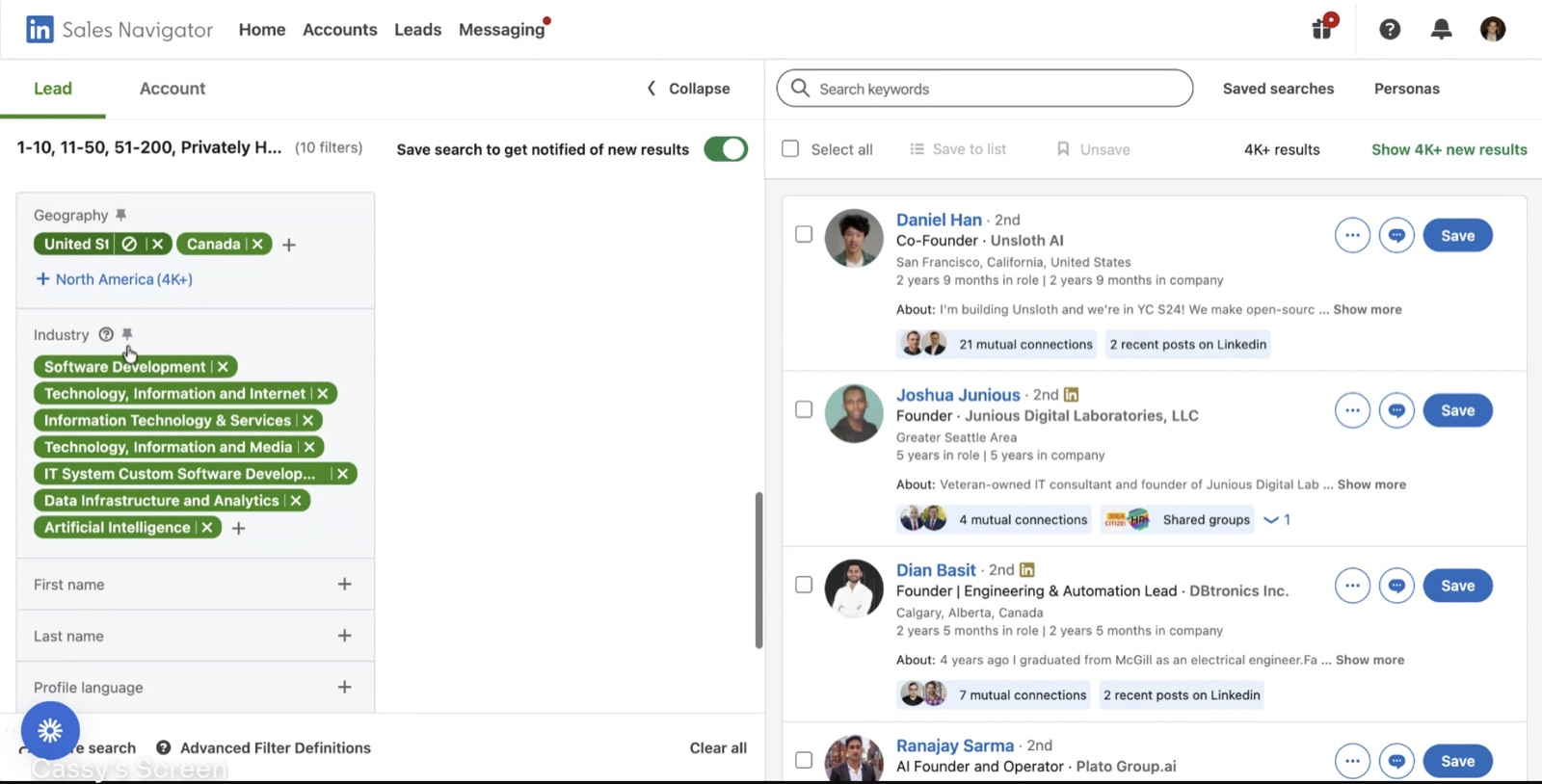
Everything starts in Sales Navigator. We filter by company headcount, company type, current job title, seniority, geography, and industry - for Postbeam, that means tech founders and growth leaders in the US and Canada.
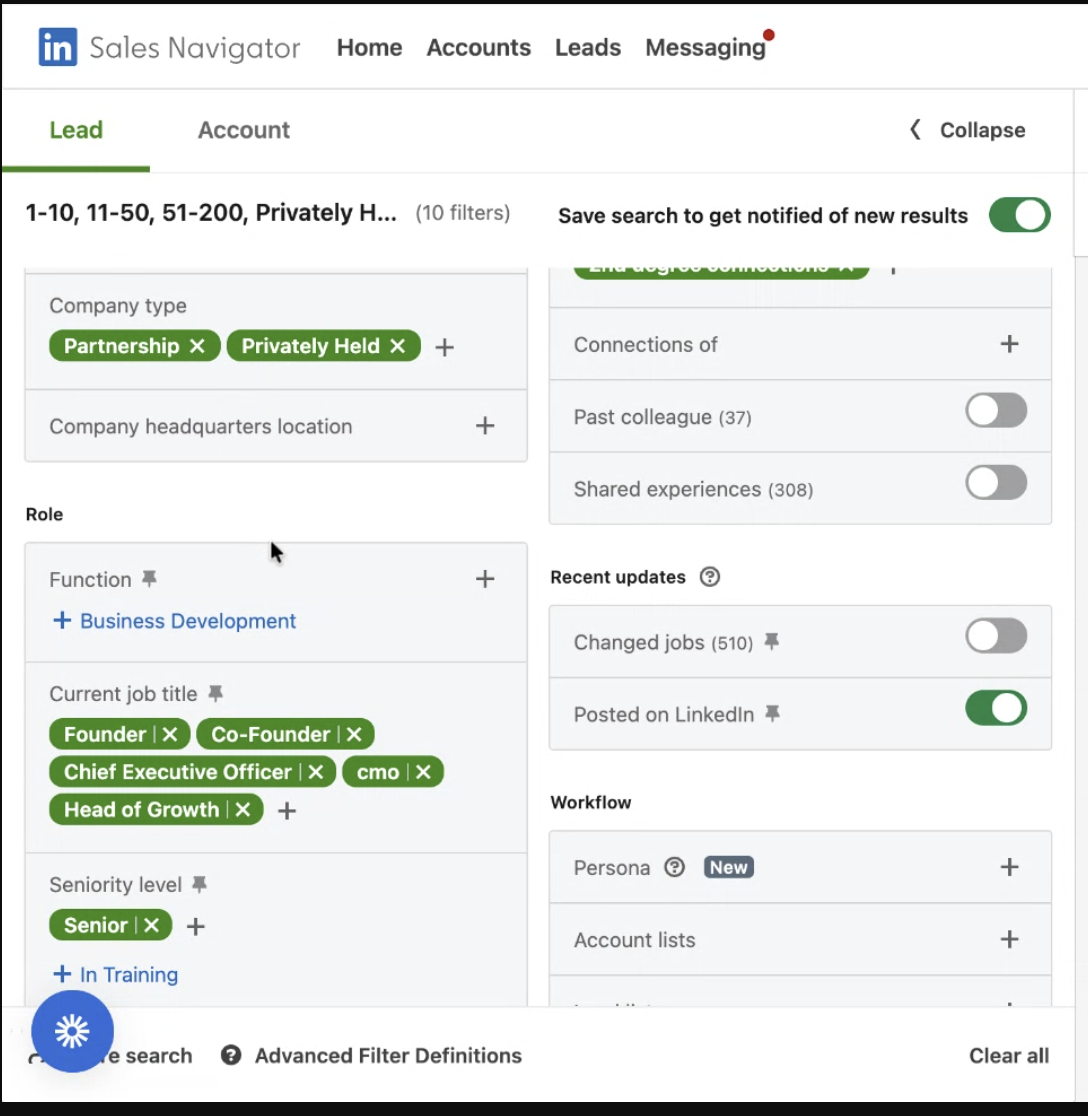
Two filters do outsized work. “Posted on LinkedIn” guarantees the person is actually active (and actively maintaining their account - remember, less than 1% of members post monthly). “Changed jobs” flags people with new budgets who want to make an impact in their first 90 days - we ran that one constantly at Hoppier.
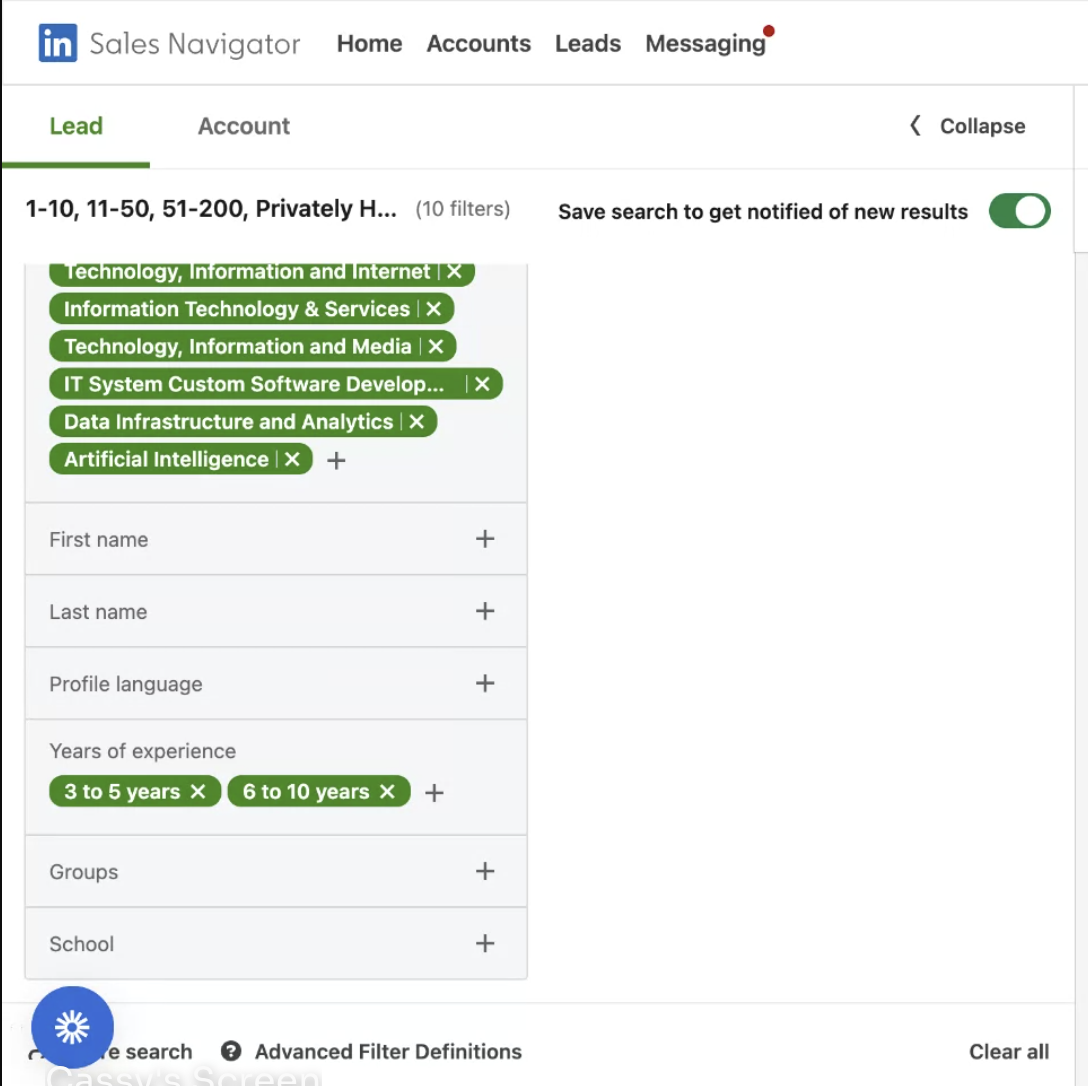
We also target 2nd-degree connections - mutual connections make a cold message noticeably warmer. Save the search, build several variants, and keep refining. The more dialed the ICP, the higher the response rate: “I fix roofs” loses to “I specialize in roofs exactly like yours, and I've done five houses your size in your neighborhood” every single time.
Full review of the tool, including what it's not worth paying for, in Is Sales Navigator worth it?
Step 2: Run the outreach - and give it 30 days
We've used LinkedIn outreach tools for eight or nine years - HeyReach, PhantomBuster, Instantly, Apollo, Reply.io. HeyReach is what we run today: export the saved Sales Navigator search, import it as a lead list, and attach it to a campaign.
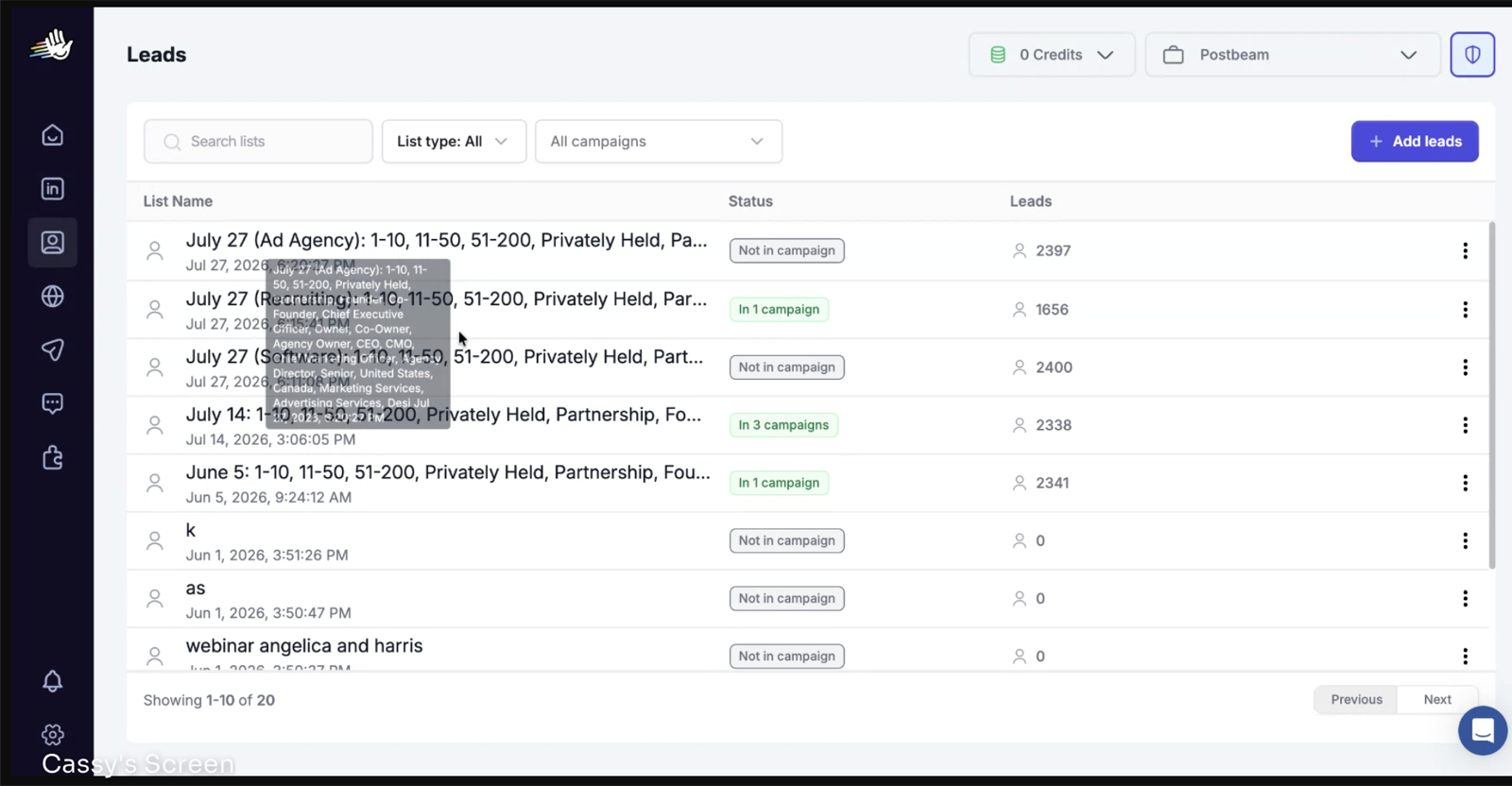
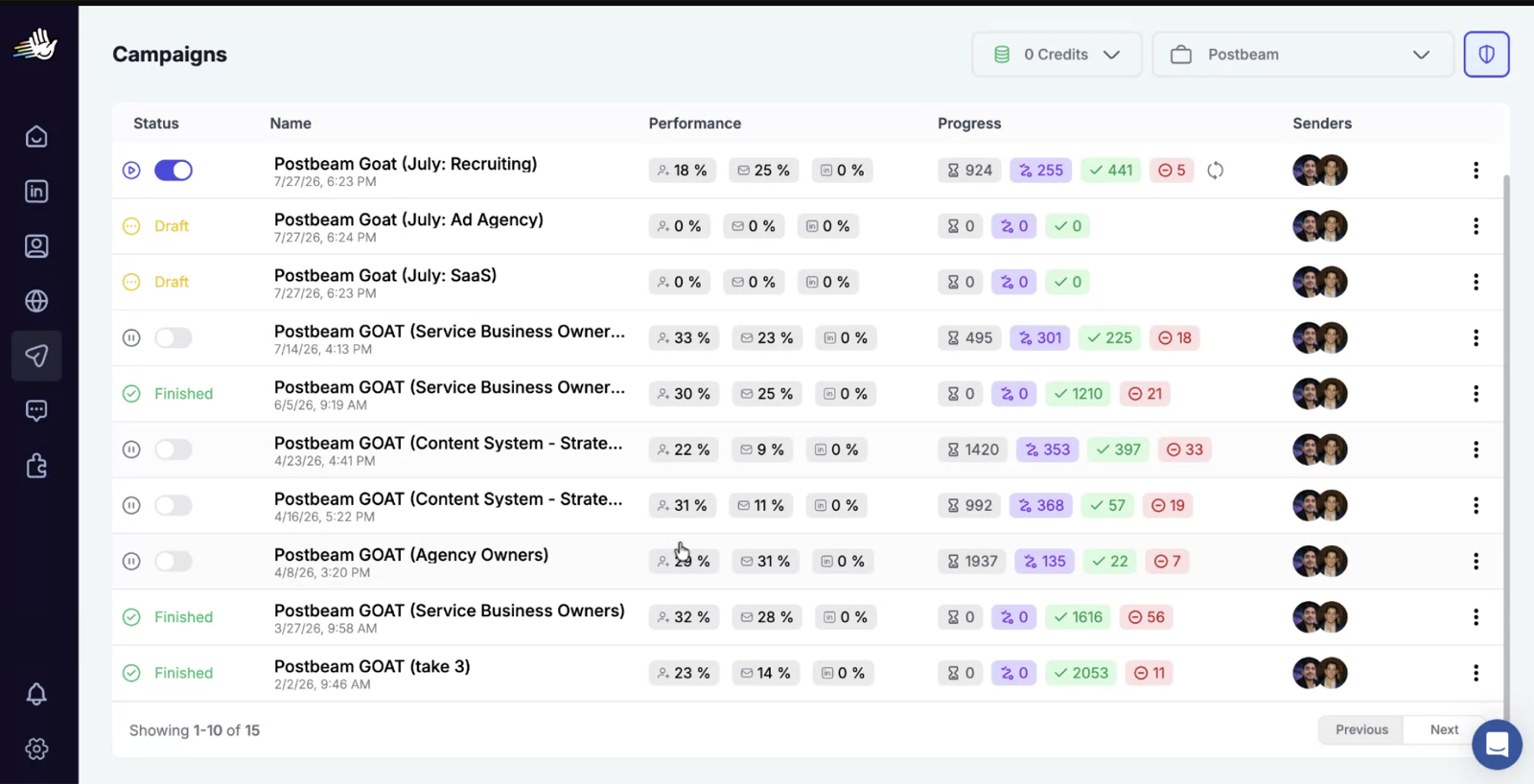
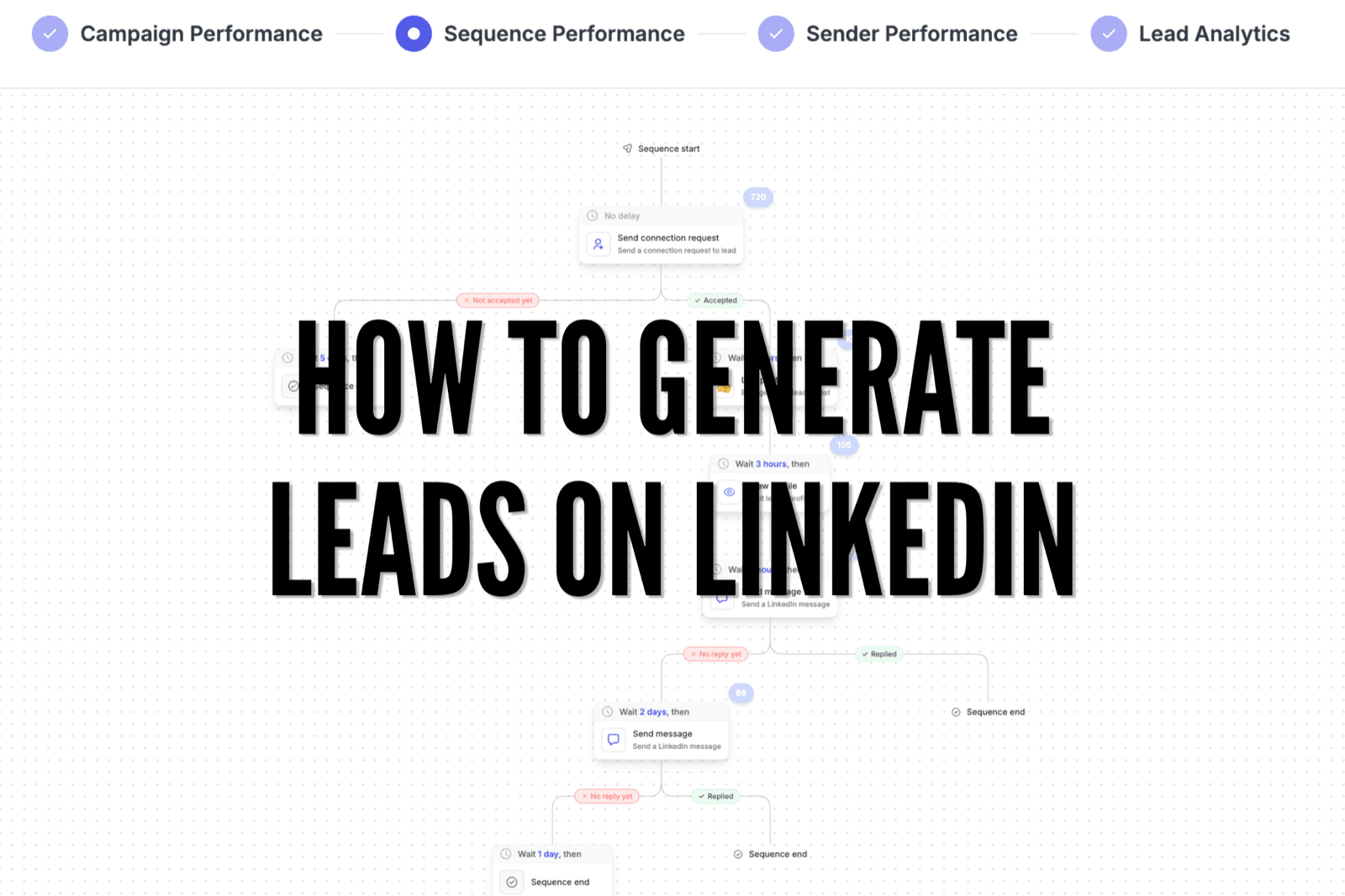
Here's a real one, warts and all: over three months, one recruiting-vertical campaign sent 720 connection requests, 133 were accepted (18% - on the low side, it's getting one more week before we rotate it), which produced 33 replies and 7 leads HeyReach's AI tagged as interested.
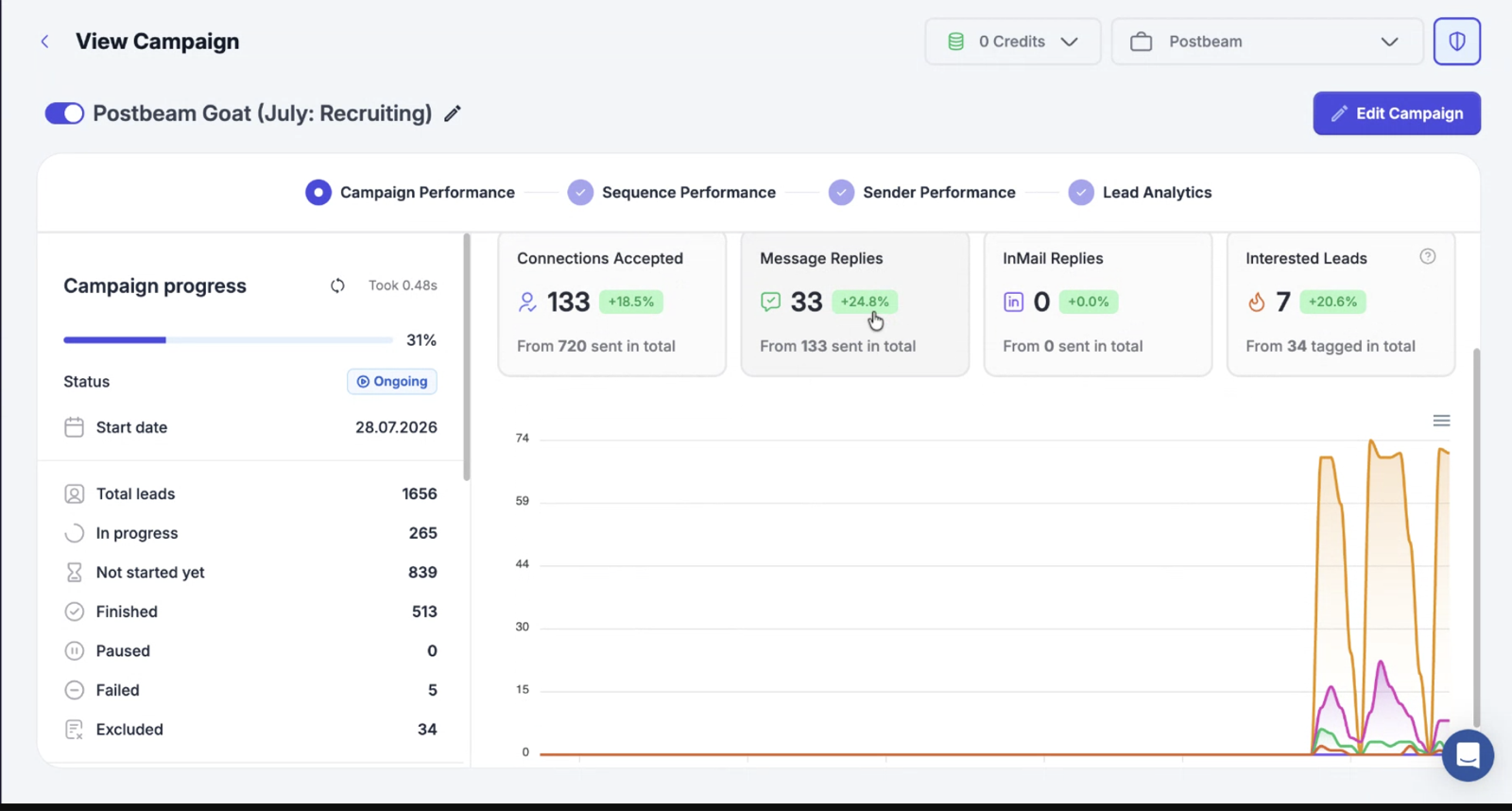
Two lessons from years of this. First, the “interested” count lies low - a reply like “I don't have time” is an open door (“that's exactly why this exists”), and we've watched plenty of initial no's become customers. Second, give a campaign at least 30 days and a real sample before judging it - people take days to see requests, weekends and holidays slow everything down. The exception: if you're a few days in at a 1% acceptance rate, something is broken. Kill it.
When something works, double down and max your volume: about 200 connection requests a week. One catch - free LinkedIn accounts can only attach a note to 3 invites a month, so sending personalized invites at volume needs a paid LinkedIn plan. More on the tooling landscape in our LinkedIn outreach automation guide.
Step 3: The message - offer beats personalization
Here's the actual connection note running in that recruiting campaign:
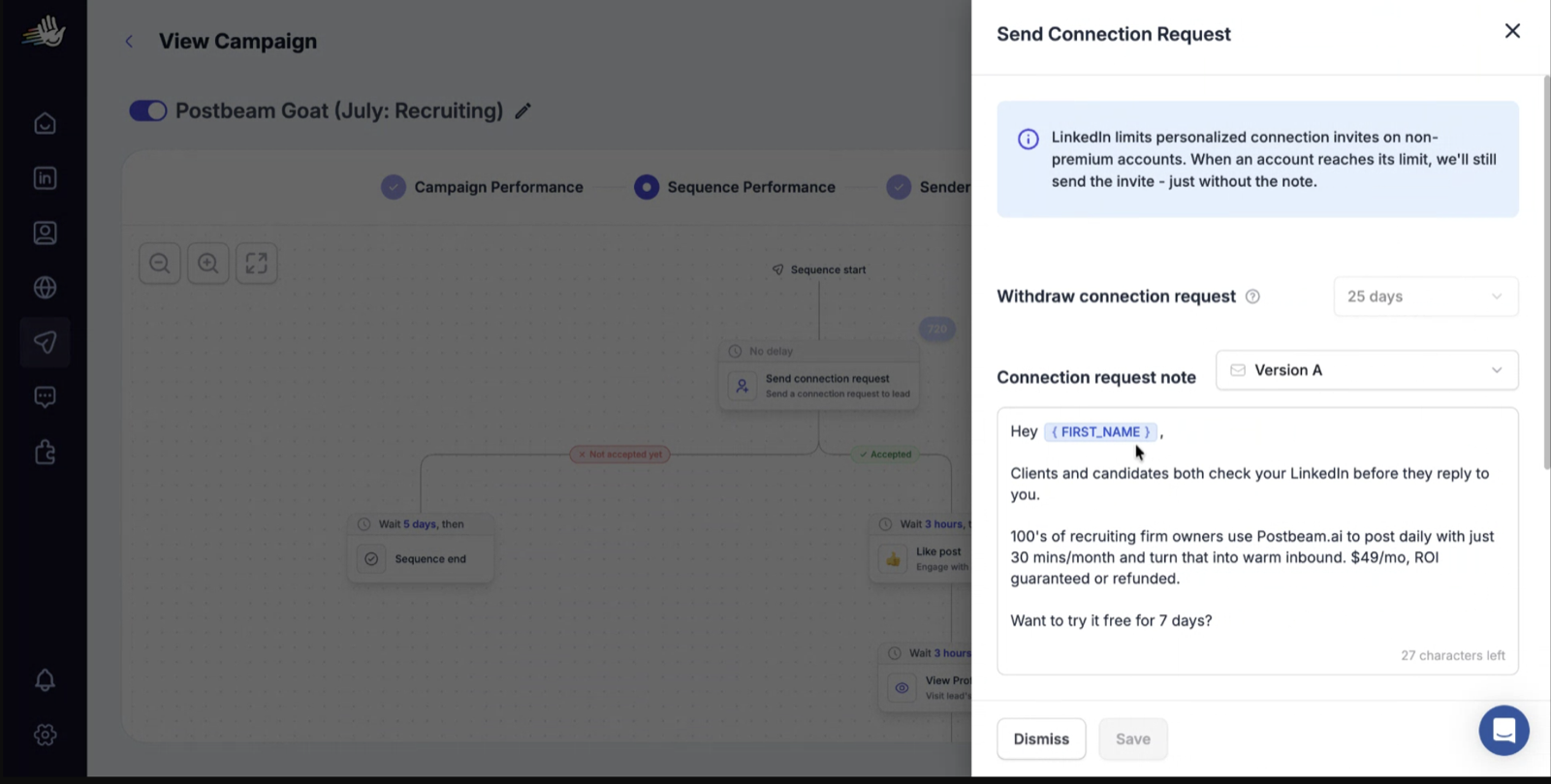
Notice what it is: a specific problem (your prospects check your LinkedIn before replying), for a specific person (a recruiting firm owner), with a concrete offer. And notice what it isn't - “I saw you went to Carleton and live in Ottawa!” Emil's rule: personalization has to be relevant to the buying need, or it's just proof you ran a scraper. There's a fine line between personal and fake, and inauthentic is the worst thing you can be.
You've probably seen studies claiming a connection note performs worse than no note. We disagree - what performs worse is a generic note. A sharp offer aimed at the right person beats silence. (Need a starting point? Our free connection note generator is built on these principles.)
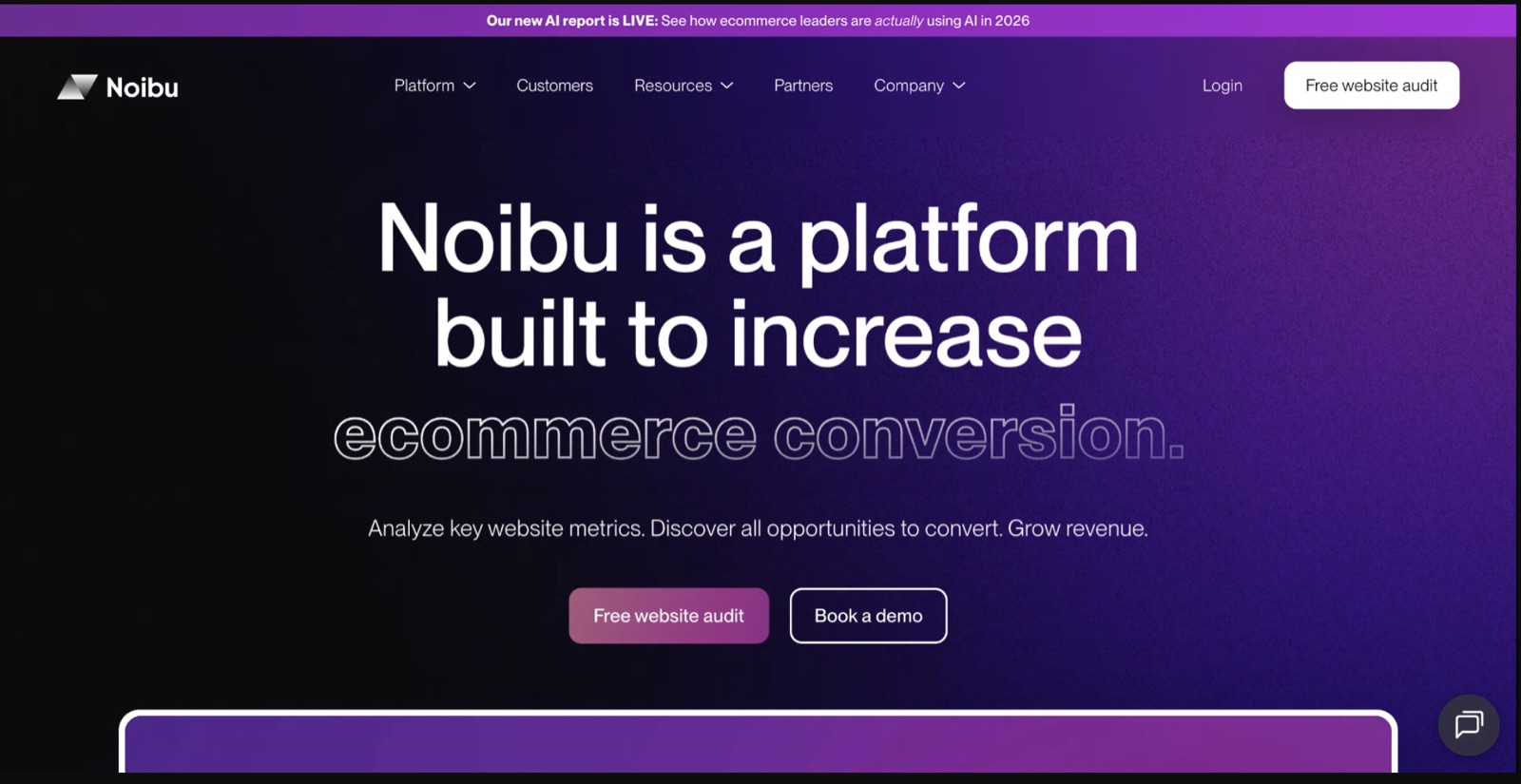
The strongest version of this is the give-them-a-taste offer. Our friends at Noibu - a company we invested in and have watched grow to many millions in revenue - detect e-commerce site errors. Their outbound: scrape the internet for stores with live checkout bugs, email the person who owns the site, point out the exact bug (“this could be costing you millions”), fix one for free, and offer a full free audit on a call. The response rate is absurd, because the message itself is a free sample of working with them.
Step 4: The sequence - and the video that gets opened
The cadence we run: send the connection request → three hours later, like one of their posts → three hours later, view their profile → and three hours after they accept, send the follow-up message with a two-minute video explaining how the product works. Small touches that read as human, spaced like a person.
The video is the goated part. When someone replies or looks like a real fit, we spend two minutes on research and record a personalized Loom - their website or profile in the background, our face in the corner. LinkedIn renders a preview thumbnail, and when a prospect sees their own company in that thumbnail, it's an irresistible click.
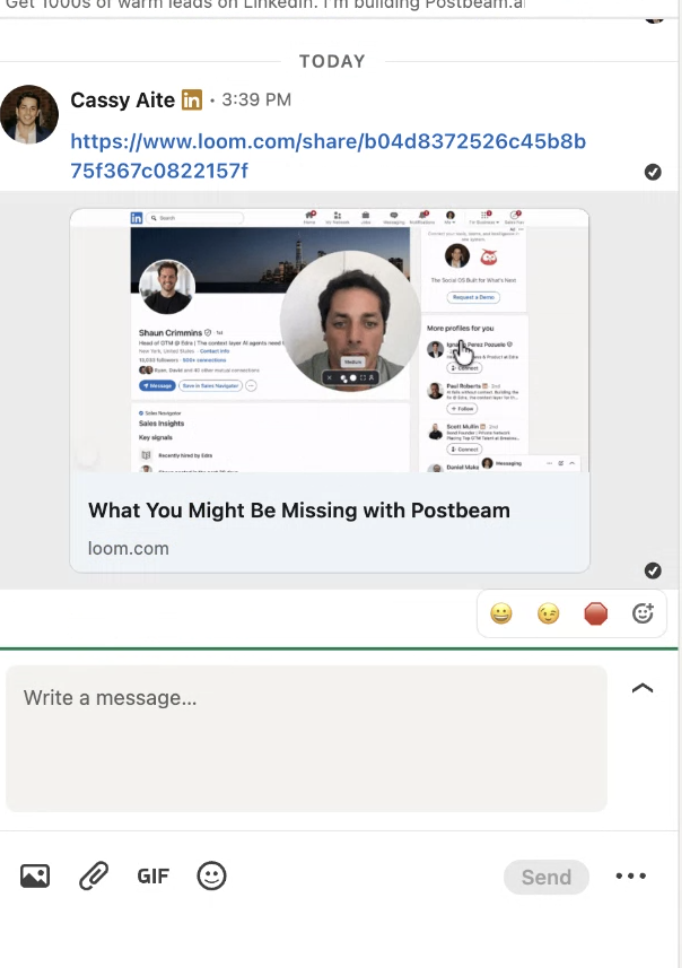
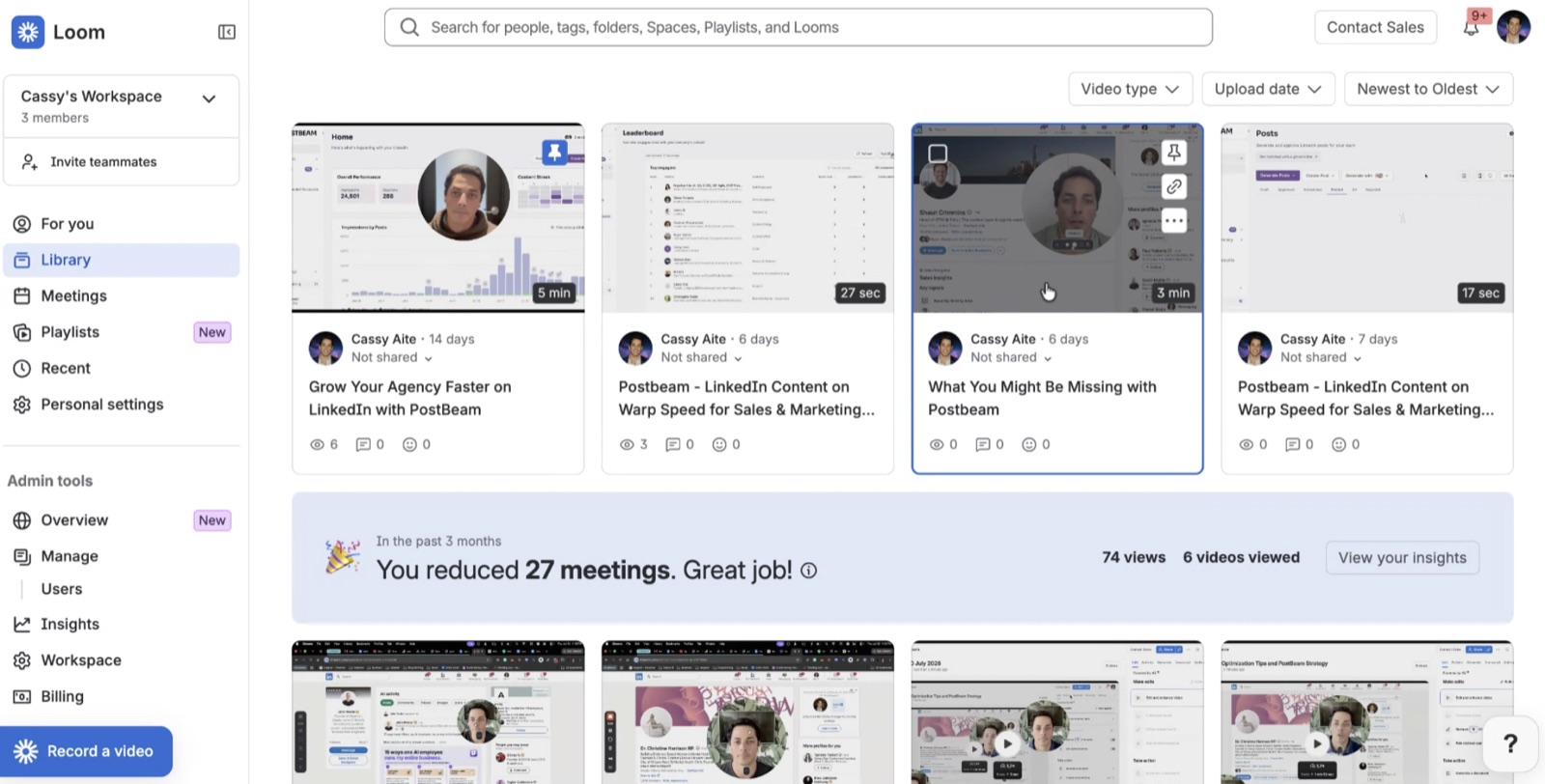
Emil almost never takes demos - and he's been converted by exactly this kind of two-minute Loom. It answers “is this worth twenty minutes of my life” without asking for the twenty minutes. And this isn't a special-occasion move: it's a daily habit, and the library adds up fast.
Step 5: Warm outreach from buying signals (the 50% connect rate)
Everything above is cold. This is where the numbers change: inside Postbeam, we see everyone who likes or comments on our posts, filtered against our ICP by job title, location, and company size. Those people get a message that references the exact post: “Hey Ryan, saw you liked my post about Cluely hitting $5M in 3 months. We help founders turn LinkedIn content into warm leads like this - want to try the 7-day free trial?”
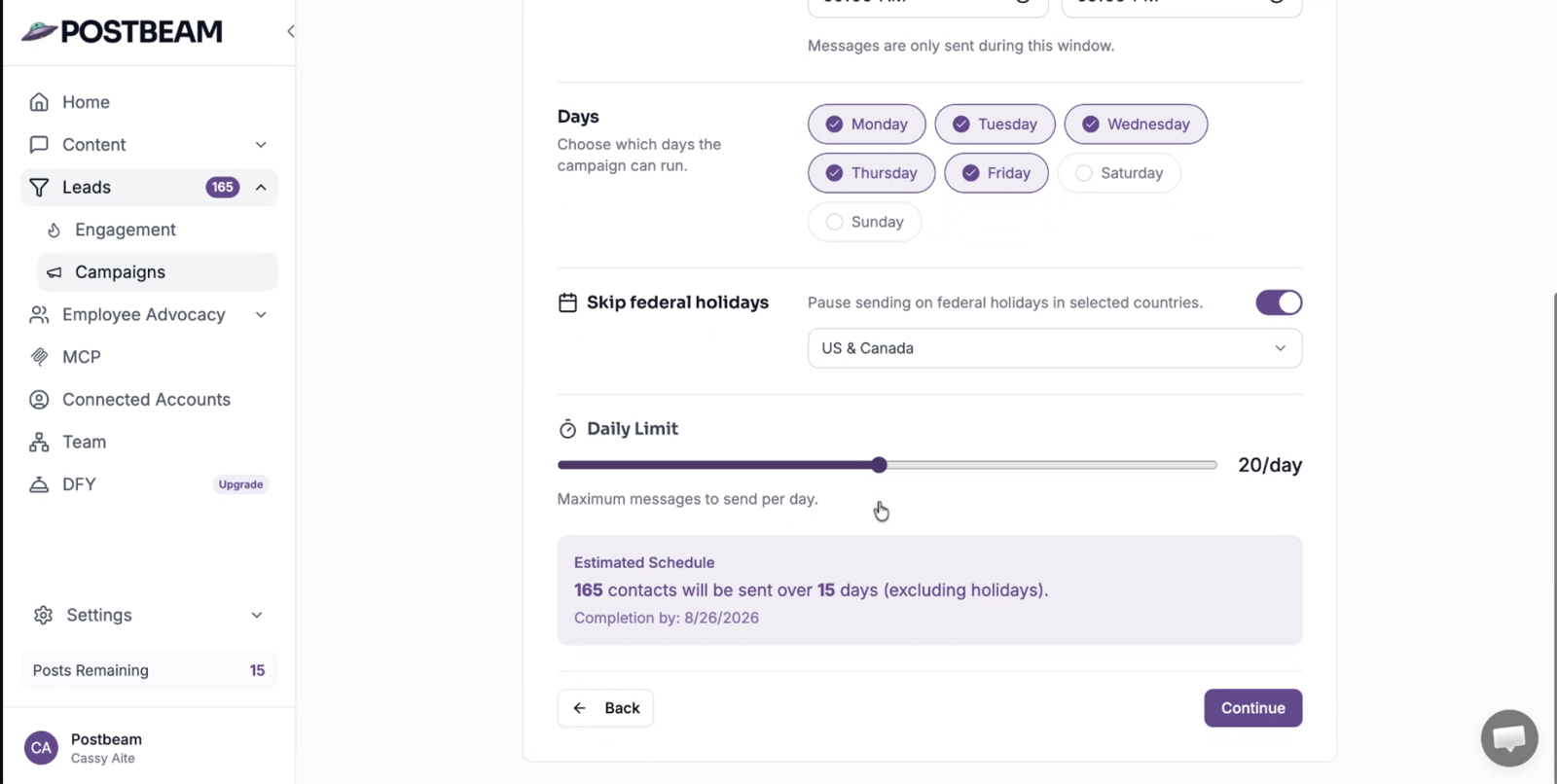
Because these people already know who we are and interact with our content, this motion gets a 50%+ connection rate and a 30%+ reply rate - roughly triple the cold campaign. We select the engagers, add them to a campaign, and Postbeam sends the requests daily within safe limits.
Step 6: Post sniping - borrow other people's engagement
Your own posts aren't the only signal source. When a thought leader or competitor posts something squarely in your topic, everyone engaging with it is raising their hand. Take this Gary Vaynerchuk post - “Social Media is Dead. Interest Media is Here” - with 150+ reactions from founders, sales leaders, and marketers:
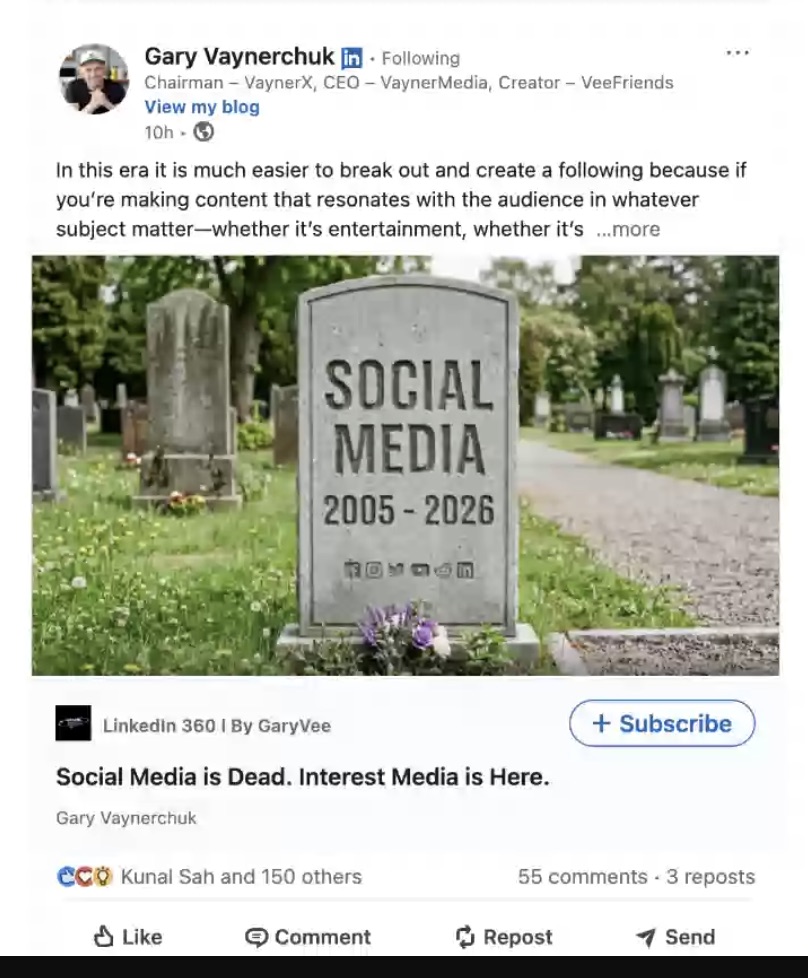
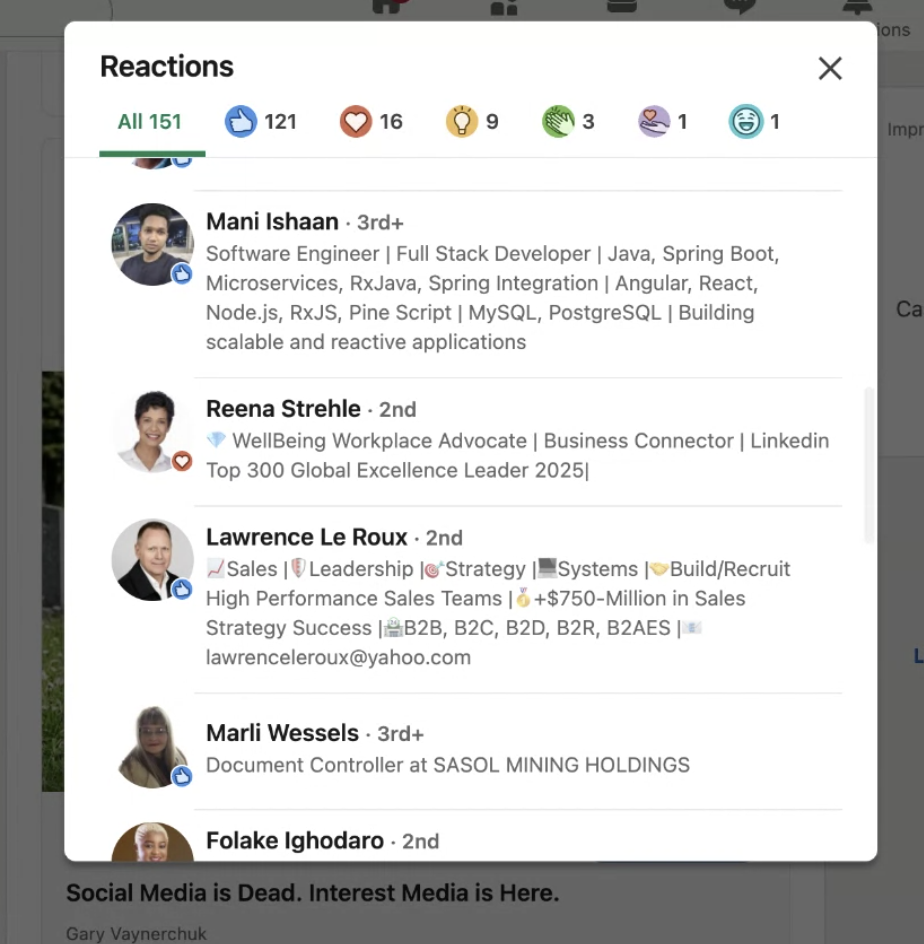
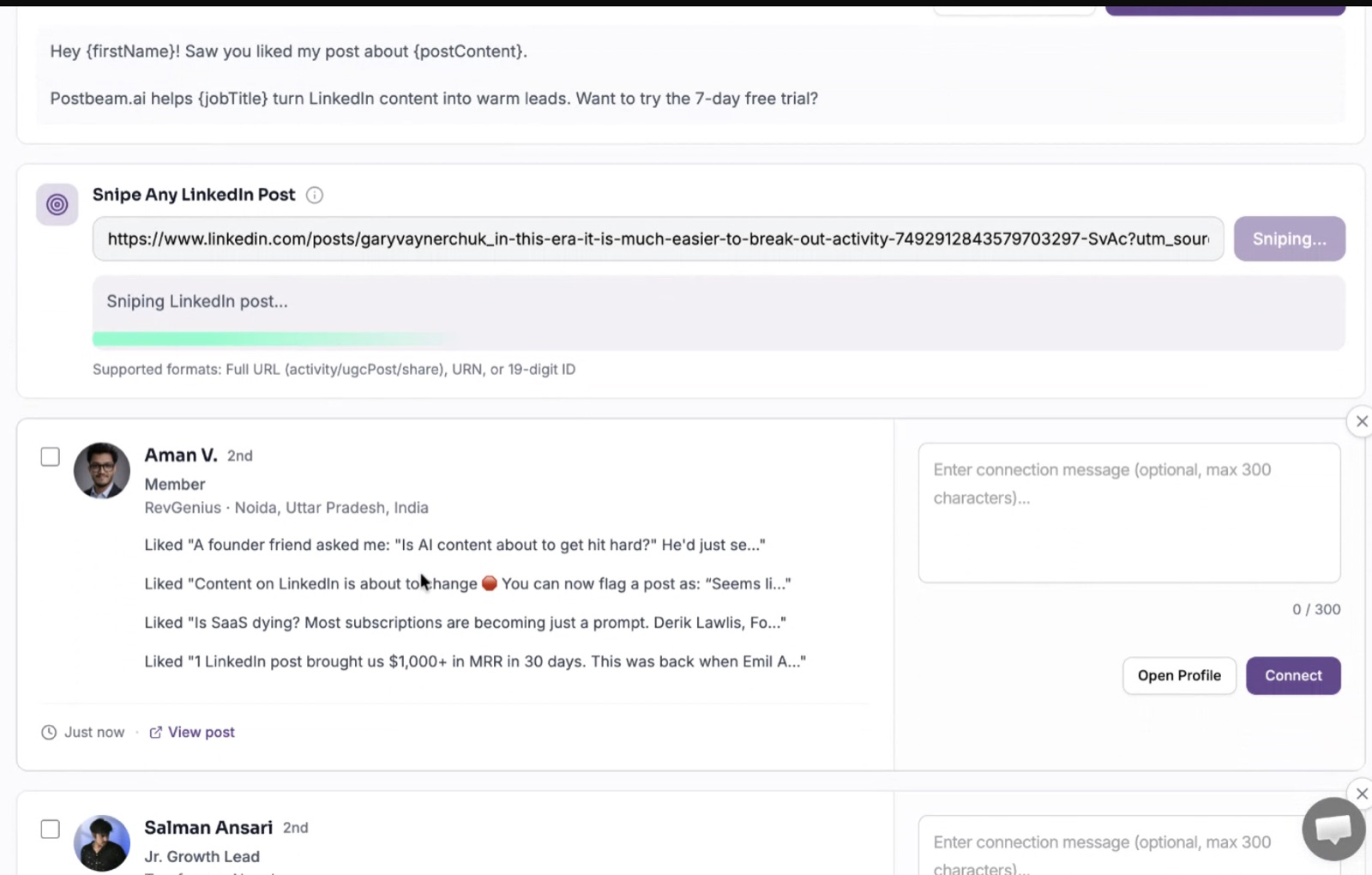
We copy the post URL into Postbeam and snipe the post: it pulls everyone who liked or commented, we filter them against our ICP, and each one gets a connection request referencing that exact post. Highest connection rates of anything we run - it stacks all three pieces of the framework: fit, intent, and context.
Step 7: Mine your top fans, then multiply by your team
Postbeam's leaderboard ranks the people engaging with your content most over the last 30 or 365 days. Someone who isn't a customer but has liked three of your posts is not a coincidence - that's a warm conversation waiting for an opener. (The leaderboard ships with our Employee Advocacy add-on, where it doubles as the scoreboard for team engagement.)
Then scale the whole system horizontally. Every LinkedIn account you add multiplies reach - we tripled ours just by running the motion across three accounts (me, Emil, and Nick). The fastest-growing companies - Lovable, Cursor, HeyReach, Gamma - have entire teams investing in their following through content and outreach. We broke down how Lovable turned every engineer into a marketer if you want to see the ceiling on this.
Step 8: Your profile is a landing page
The first thing every prospect does when your DM lands is click your profile. Treat it like a landing page: a headline that says who you help and with what, a call to action in the featured section, and content that proves you practice what you preach.
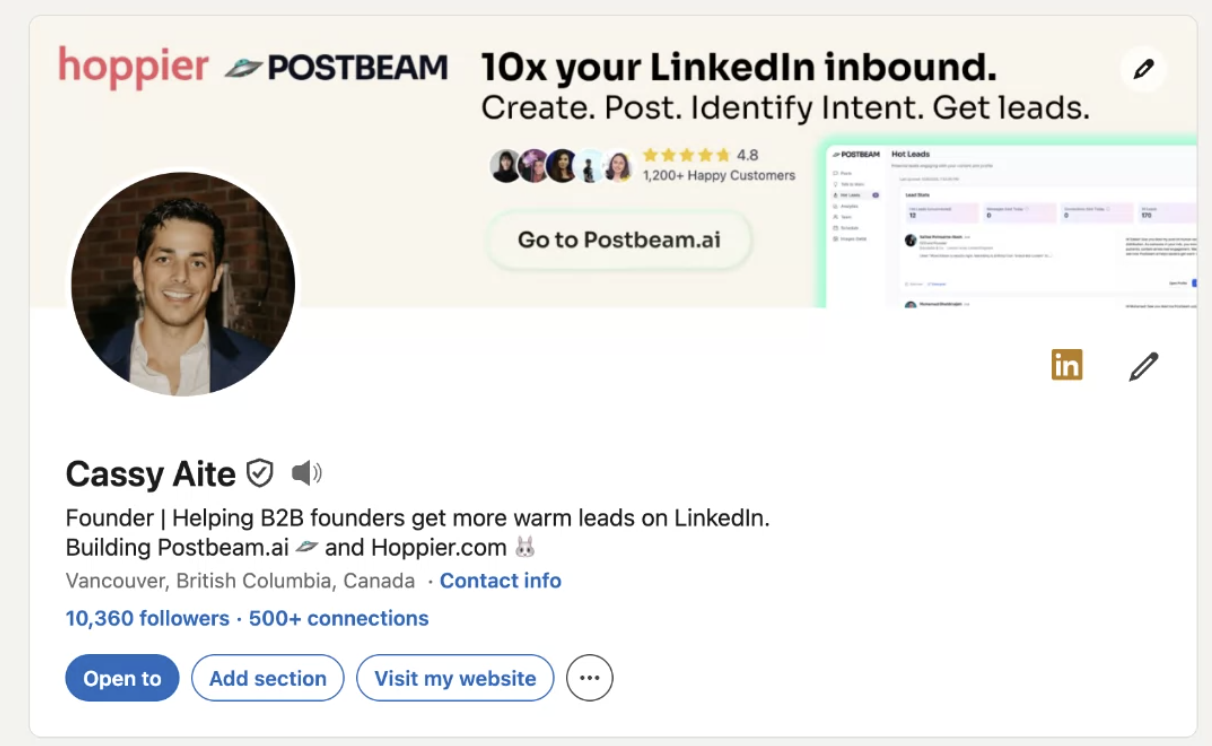
I post every day (Postbeam plus the Claude MCP handle the heavy lifting), and the compounding is visible: 5,200 profile views in the last year, 853,000+ impressions, 350,000+ members reached.
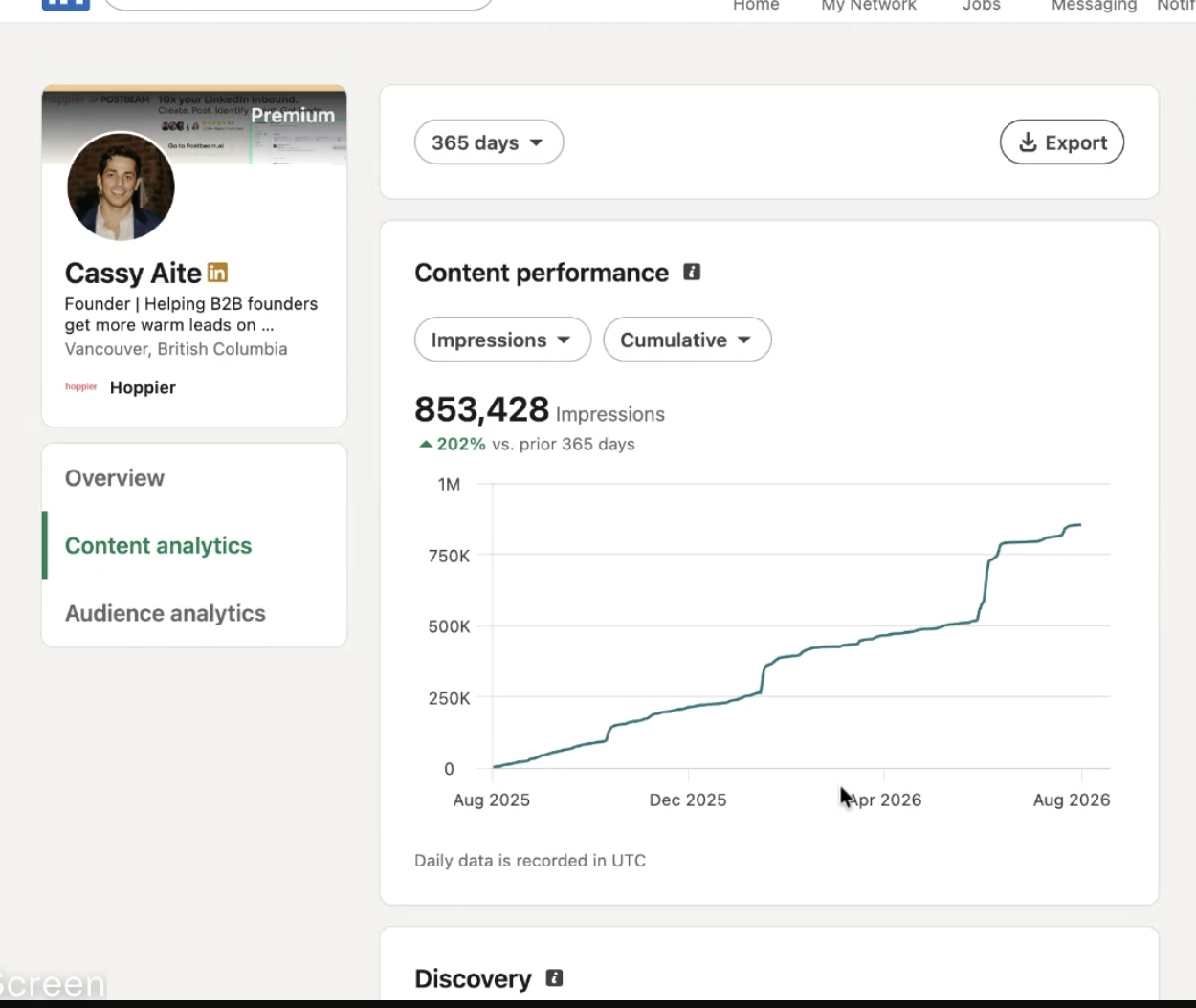
That's the difference between renting and owning your audience. Ads stop the moment you stop paying. Followers compound: every post reaches further, every DM gets a higher reply rate, every campaign starts warmer. (Fixing your headline is the fastest win - steal from our 16 LinkedIn headline examples.)
The framework, in three questions
Fit
Are they in your ICP? Company size, industry, role, seniority. The tighter the list, the higher the reply rate.
Intent
Is there a buying signal? Liking or commenting on your content, engaging with competitors or thought leaders, changing jobs, posting recently.
Context
Use what they engaged with in the message itself. 'Saw you liked my post about X' beats any template.
Fit, intent, context - plus a profile and content engine that make every one of those messages land warmer. That's the whole system. It's how the fastest-growing companies are doing LinkedIn prospecting right now, and it's the modern version of social selling.
Keep going
LinkedIn Lead Generation with Postbeam →
The product-shaped version: warm leads from your own posts.
LinkedIn Outreach Automation →
The tools and guardrails for scaling outreach safely.
Is Sales Navigator Worth It? →
Honest review after ten years of daily use.
Executive Thought Leadership Strategy →
The content engine that makes outreach convert.
Frequently Asked Questions
What is a good reply rate for LinkedIn outreach?+
How many connection requests can I send on LinkedIn per week?+
Should I add a note to my LinkedIn connection requests?+
How do I find my ideal customers on LinkedIn?+
What are LinkedIn buying signals?+
Is LinkedIn outreach better than cold email?+
See your warm leads by tomorrow morning
Postbeam captures everyone engaging with your posts, filters them against your ICP, and drafts the opener that references the exact post they liked. The 50%-connect-rate motion from this article, running on your account.
Start Your 7-Day Free Trial →