
LinkedIn lead generation, from your own posts
How do you generate leads on LinkedIn? Post consistently, capture everyone who likes, comments, or views your profile, filter those people against your ideal customer profile, and reach out while the engagement is still warm. Postbeam runs that entire loop for you, from drafting the post to the pre-written opener.
7-day free trial · Cancel anytime
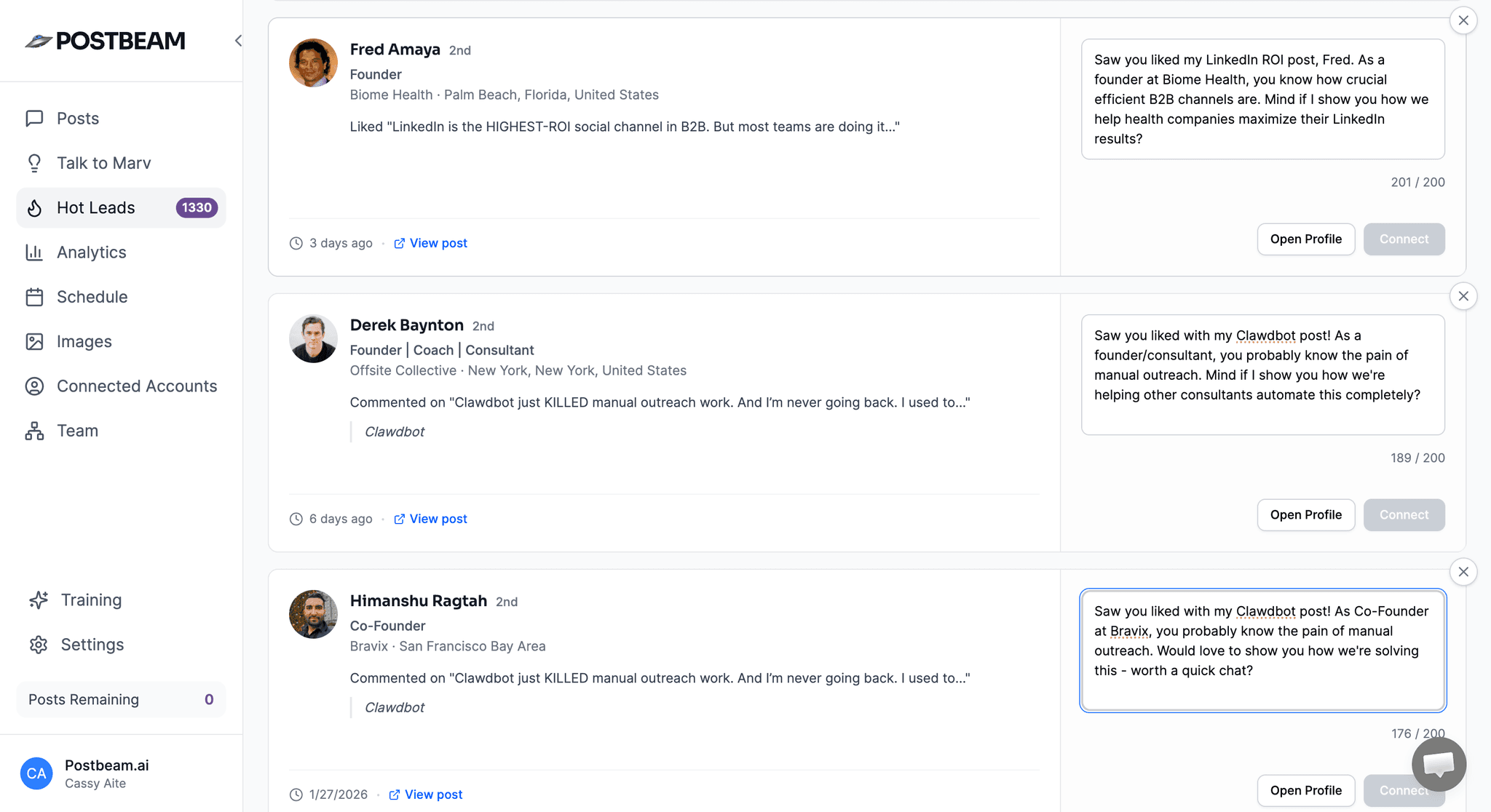
How to generate leads on LinkedIn, step by step
No ads, no scraping, no cold lists. The workflow is four steps, and Postbeam automates the parts that usually fall through the cracks.
- 1
Post consistently about your buyers' problems
Leads start with attention, and attention comes from showing up. Marv, Postbeam's AI assistant, drafts posts in your voice so consistency doesn't depend on willpower. Already drafting with Claude or ChatGPT? Postbeam connects to both in one click.
- 2
Capture everyone who engages
Every like, comment, and profile view is someone raising their hand. Postbeam captures all of them automatically, so no signal slips past you while you're busy running the business.
- 3
Filter engagers against your ICP
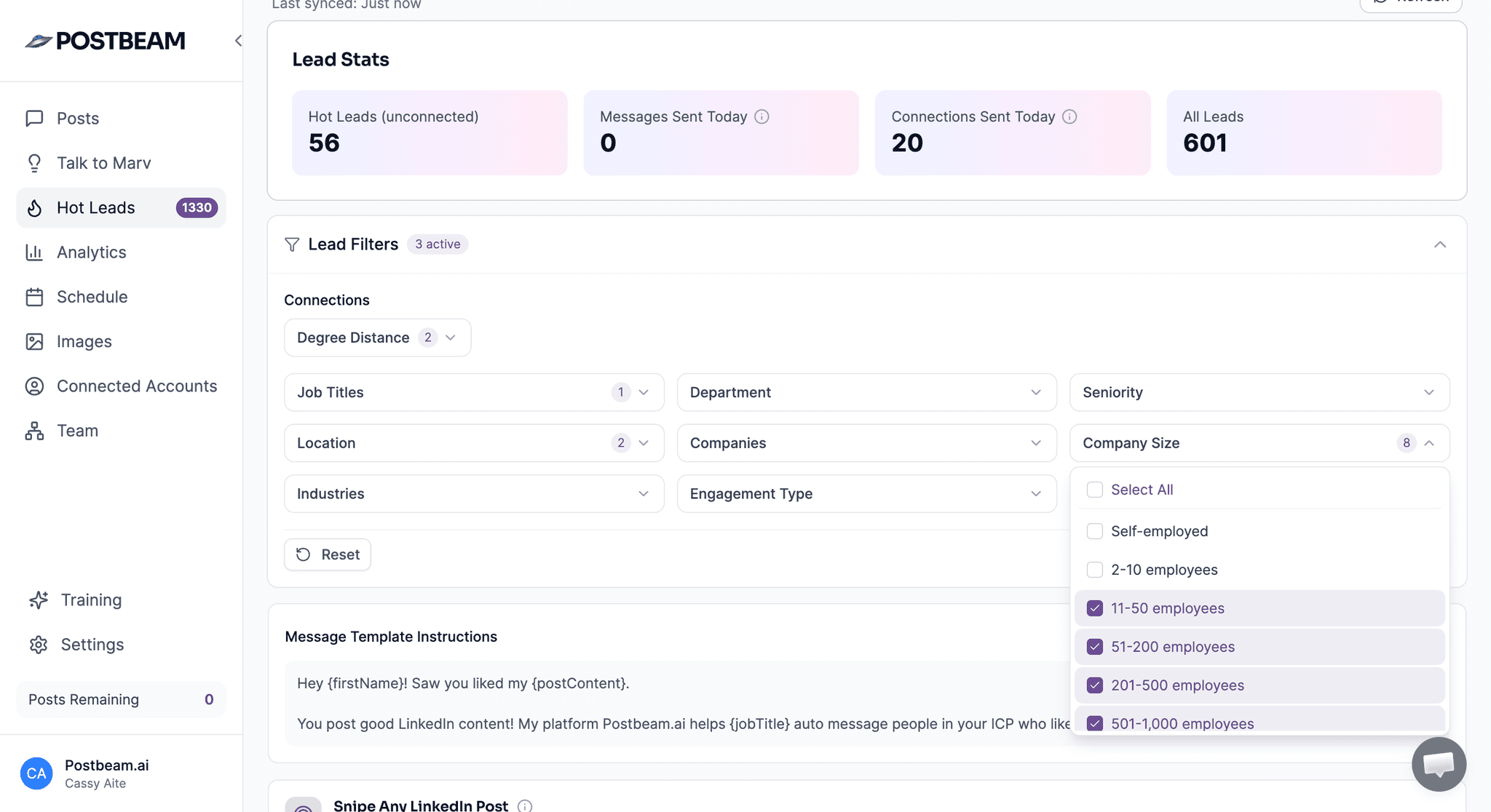
Most engagement isn't pipeline - the filter is what turns a list of likers into a list of leads. Postbeam matches every engager against your ideal customer profile by job title, seniority, company size, and industry, and surfaces the fits as hot leads.
- 4
Reach out warm, with context
Pre-drafted openers reference the exact post someone engaged with, so the first message lands as a continuation of a conversation, not a cold pitch. Export leads to HubSpot, Salesforce, or CSV in one click and work them from your existing pipeline.
From engagement to lead list, automatically
Postbeam captures every like, comment, and profile view on your posts and turns the matches into a lead list your team can act on the same day.
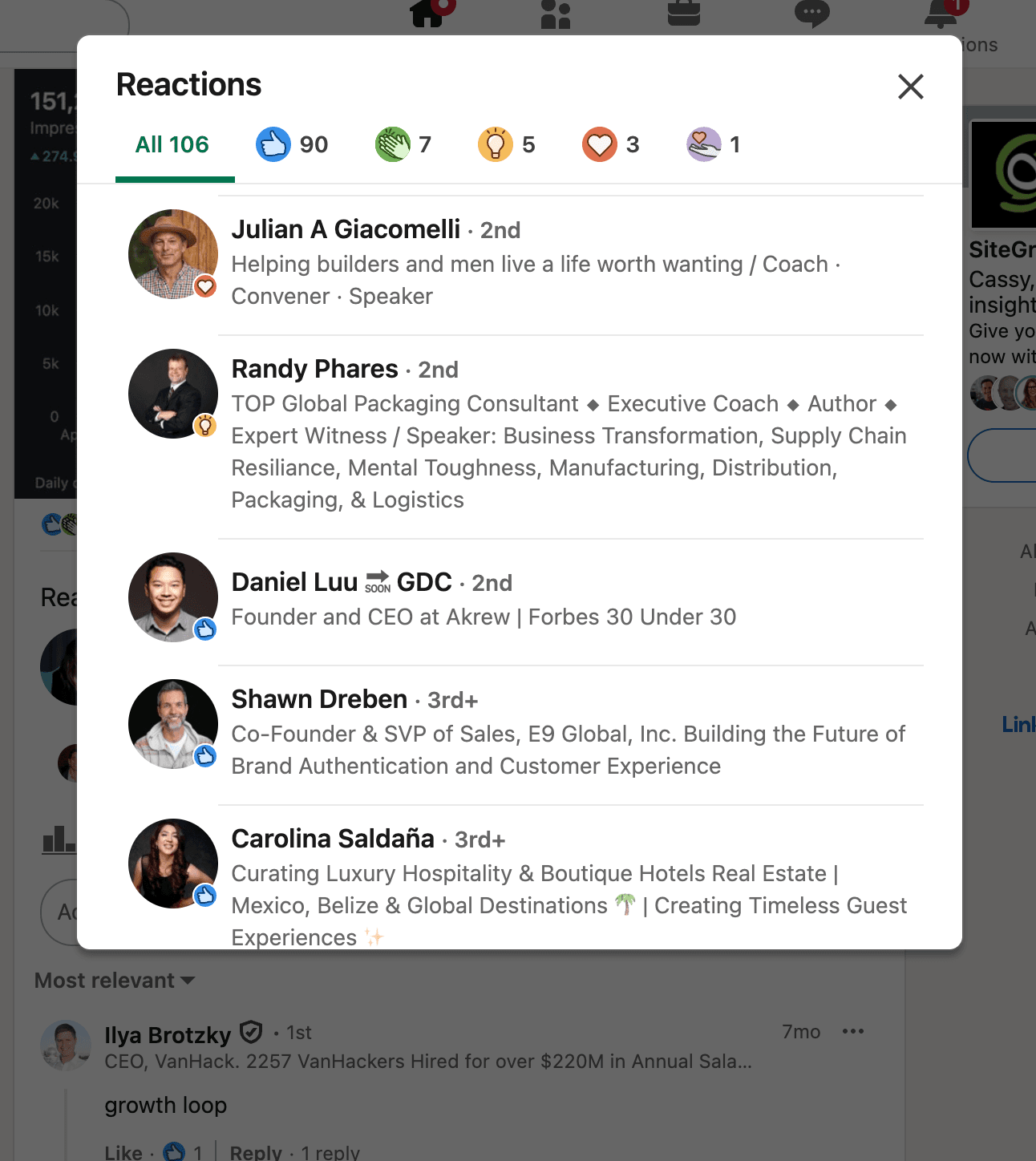
See everyone who engages with your posts
Likes, comments, and profile views all get captured. The people paying attention to your content stop being an anonymous notification count and become names, titles, and companies you can actually evaluate.
Filter by your ideal customer profile
Set your ICP once - job title, seniority, company size, industry - and Postbeam checks every engager against it. Your team never wastes a morning researching people who were never going to buy.
When it's time to reach out, the opener is already drafted and references the exact post they engaged with. One click exports the list to HubSpot, Salesforce, or CSV.
Why warm beats cold on LinkedIn
The message is the same amount of work either way. The difference is whether the person on the other end already knows who you are.
Cold outreach
- × No context or relationship
- × Low reply rates (1-3%)
- × Feels spammy to recipients
- × Burns through lists quickly
Warm outreach with Postbeam
- ✓ They already know who you are
- ✓ Higher reply rates (10-20%+)
- ✓ Opener references the exact post they engaged with
- ✓ Sustainable and compounding
Built on LinkedIn's official partner APIs
Postbeam publishes through LinkedIn's official partner APIs. No Chrome extensions, no bots running in your browser. You connect through an OAuth flow you can revoke anytime, and Postbeam never touches your LinkedIn password. Nothing publishes automatically - every post goes out because you approved it.
LinkedIn lead generation FAQ
How do I generate leads on LinkedIn without ads?
Post consistently about the problems your buyers have, then work the engagement your posts create. Everyone who likes, comments, or views your profile has raised their hand a little. Postbeam captures every one of those signals, filters them against your ideal customer profile (job title, seniority, company size, industry), and pre-drafts an opener that references the exact post they engaged with. No ad spend required - the leads come from attention you already earned.
Does LinkedIn lead generation work for B2B?
Yes - LinkedIn is where B2B buyers actually spend time, and the engagement on your posts is a real intent signal. Cold outreach typically sees 1-3% reply rates, while warm outreach that references a post someone engaged with sees 10-20%+. Filtering engagers against your ICP means your team only spends time on people who match the accounts you sell to.
What is a warm lead on LinkedIn?
A warm lead is someone who has already interacted with you - they liked or commented on a post, or viewed your profile - and who fits your ideal customer profile. They know who you are before you reach out, which is why warm outreach with engagement context gets 10-20%+ reply rates versus 1-3% for cold outreach.
How does Postbeam find leads?
Postbeam captures every like, comment, and profile view on your posts, then filters those people against your ICP by job title, seniority, company size, and industry. Matches surface as hot leads with a pre-drafted opener that references the exact post they engaged with, so outreach starts warm instead of cold.
Can I export leads to my CRM?
Yes. You can export your leads to HubSpot, Salesforce, or CSV in one click, so warm engagement flows straight into the pipeline your team already works from.
Is this safe for my LinkedIn account?
Yes. Postbeam publishes through LinkedIn's official partner APIs - no Chrome extensions, no scraping bots on your session. You connect through an OAuth flow you can revoke anytime, and Postbeam never touches your LinkedIn password. Nothing publishes automatically; you stay in control of every post.
Do I need to write all the posts myself?
No. Marv, Postbeam's AI assistant, drafts posts in your voice, so staying consistent doesn't require staring at a blank page. Postbeam also works with Claude (one-click from the Claude connector directory) and ChatGPT (one-click from the app marketplace) if you already draft with an AI assistant.
Your next leads already liked your last post
Connect your account, set your ICP, and see who's been engaging. Solo is $49/mo, Team is $39/user/mo (2-user minimum), with a 7-day free trial either way.
Questions? Email team@postbeam.ai