

TL;DR
Yes, Sales Navigator is worth it if you sell B2B. Not because of one feature. Because four of them compound: advanced search filters, Lead Lists, company insights, and Spotlights (the “changed jobs / posted recently” signals).
Skip it if you're a job seeker, a freelancer with a small niche network, or you only use LinkedIn to publish content. Premium Business is enough for those use cases.
One thing I want to clear up first because I see it everywhere: Sales Navigator does not let you send more connection requests per week. That myth costs people money. I'll explain what it actually changes below.
Why I'm writing this
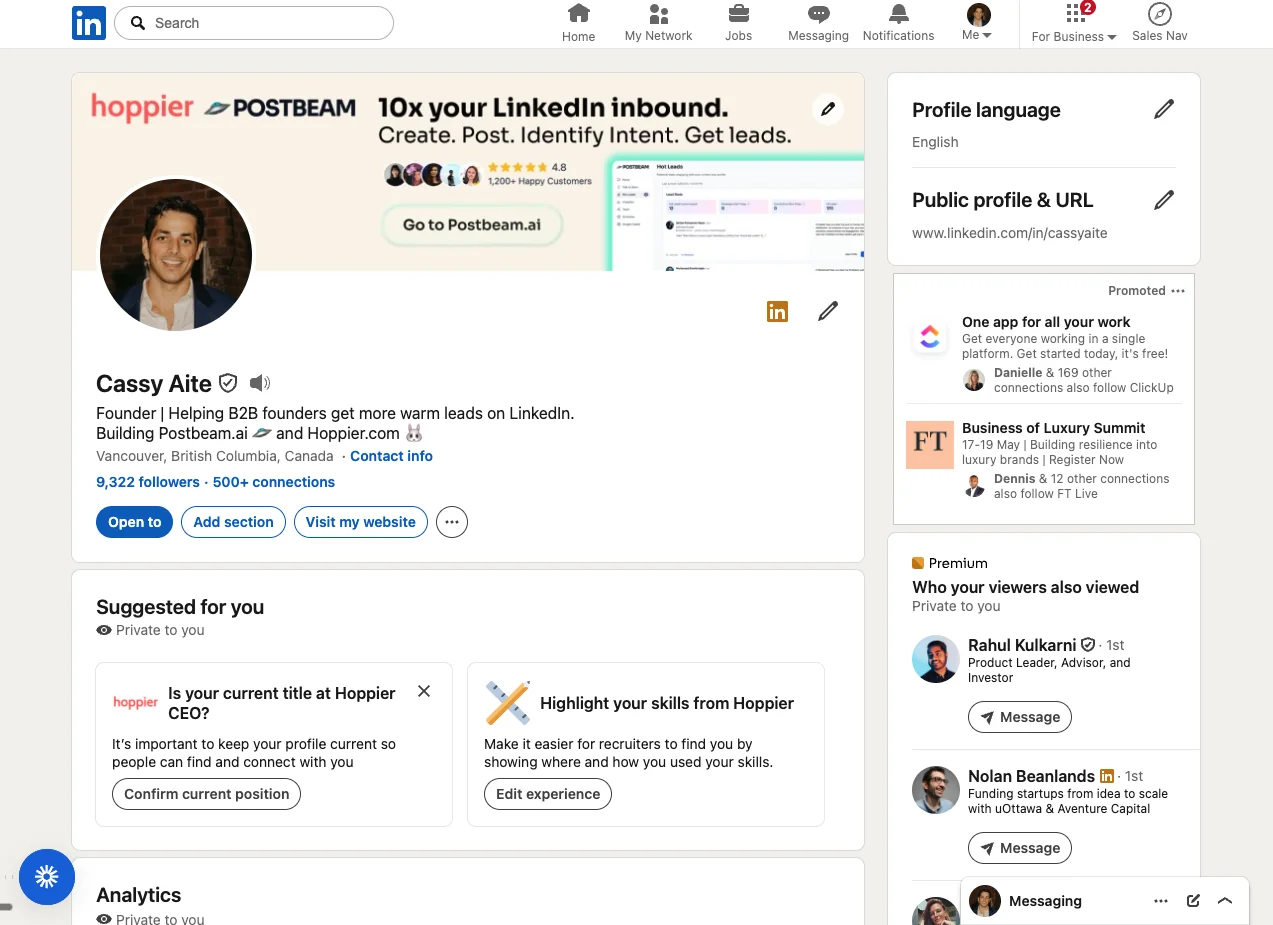
I've been on Sales Navigator for almost ten years. I'm the co-founder of Postbeam, a LinkedIn-native pipeline tool, and I built my LinkedIn following from zero to almost 10,000 using a mix of content and targeted outbound. Sales Navigator was the outbound engine the whole way.
Most “Is Sales Navigator worth it?” reviews are written by people who tried it for a month. This is the version after a decade of compound use.
The 4 features that actually pay for it
1. Advanced search and Lead Lists (the real moat)
This is the feature people underrate. Sales Navigator's filters let you build a list of (industry + role + company headcount + funding stage + geography + activity) that you cannot reproduce anywhere else on the internet. Apollo and ZoomInfo come close on contact data, but neither has LinkedIn's graph for “people who recently posted” or “people who followed your company”.
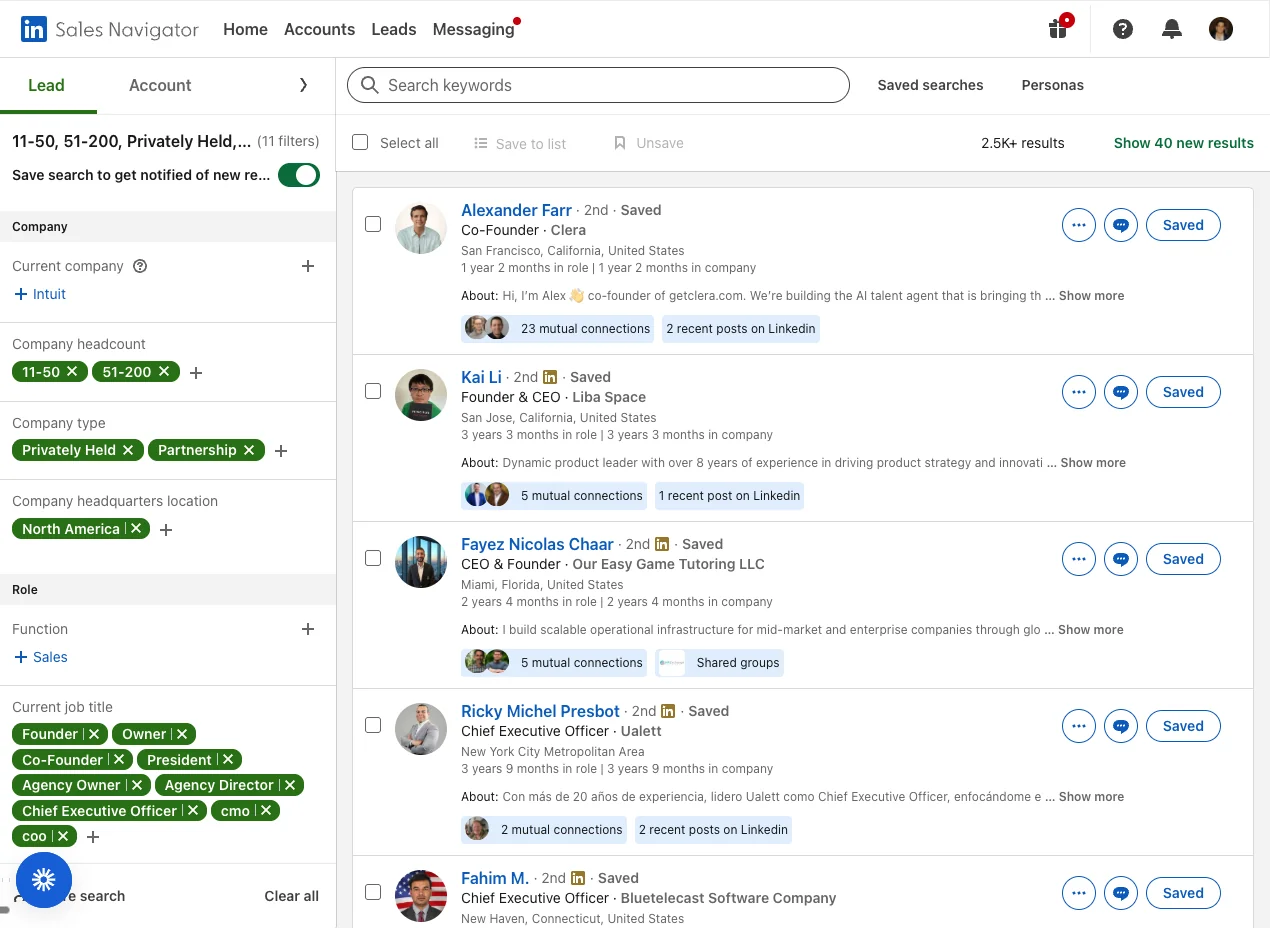
Once you save a list, it stays alive. New leads matching the filter show up automatically. Mine refreshes 40+ new prospects every week without me touching it.
Lead Lists also export cleanly into outreach tools. HeyReach, Phantombuster, and Evaboot can pull a Sales Navigator URL and enrich it into an outreach sequence. (Note: scraping carries account risk; warm up the tool slowly and stay well under any daily limits.)
2. Company insights for competitive intel
Every company page in Sales Navigator shows headcount over time, growth percentage at 6 / 12 / 24 months, headcount distribution by function (Sales, Engineering, HR, etc.), open job openings by department, and median tenure.
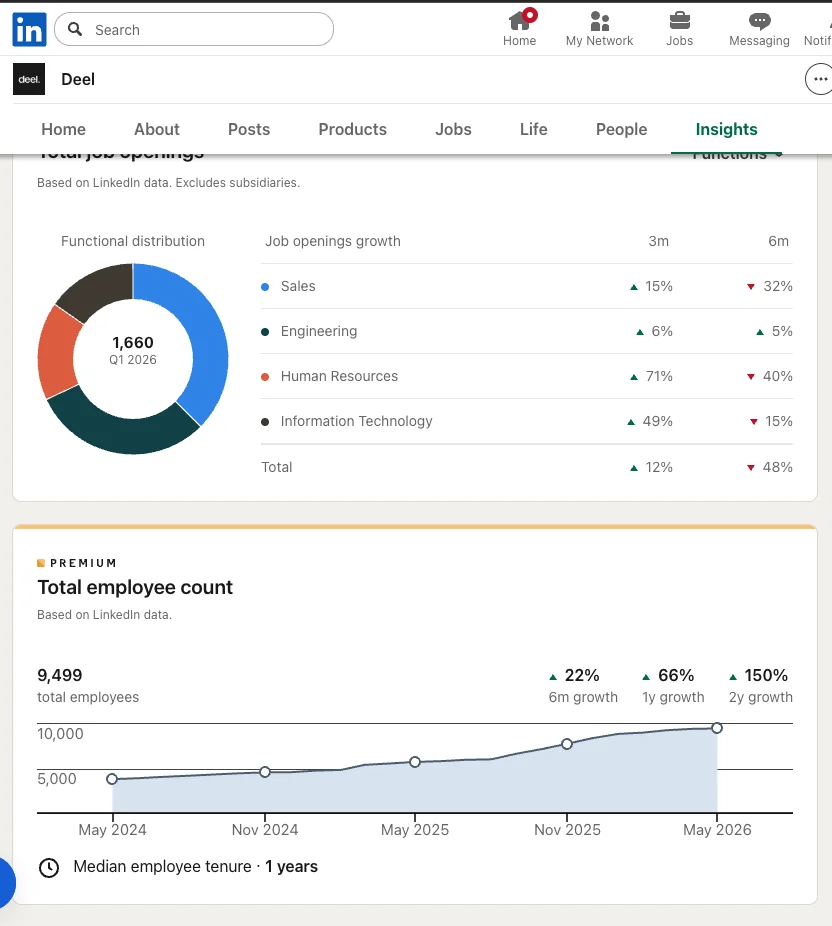
Why this matters: a company growing headcount 50% year over year is usually under-tooled. Two years ago I sold to a customer mostly because I saw their HR function had grown 71% in 90 days. The pitch wrote itself.
Headcount-shrinking companies are also a signal, just the opposite one. If a target account is down 30% over six months, budgets are frozen. Save the outreach effort.
3. Notable Alumni and Spotlights (the “changed jobs” signal)
Sales Navigator's Spotlights filter lets you pull lists like “people who changed jobs in the last 90 days”, “people who posted on LinkedIn in the last 30 days”, “people mentioned in news in the last 30 days”, and “people following your company”.
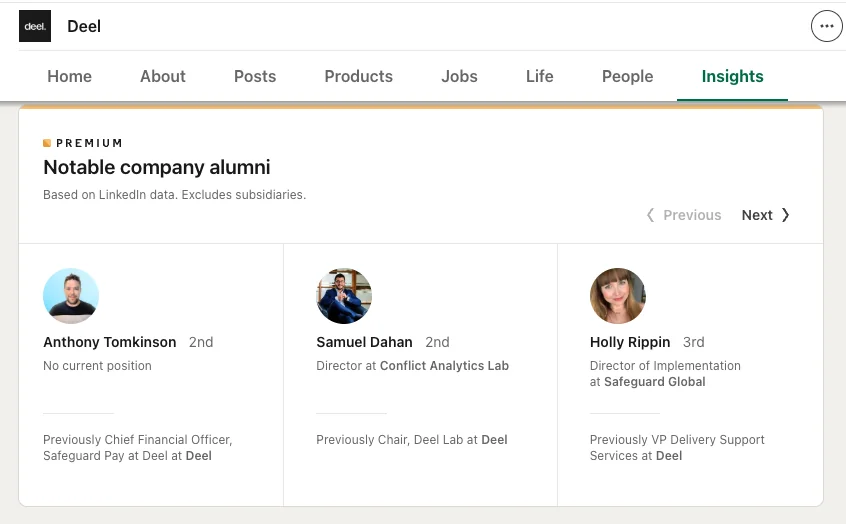
Three high-leverage workflows from this single feature:
- Job-change outreach. A new VP of Sales at a target account is in their first 60 days, looking to make decisions, and has a fresh budget. Highest reply-rate cohort I've ever seen.
- Alumni mapping. See where your past customers or champions ended up next. If a customer you delivered results for is now at a new company, that's a warm intro waiting to happen.
- Recently-posted leads. If a prospect just posted on LinkedIn today, they're in the app right now. Connection requests sent in that window get accepted at roughly double the rate.
4. 50 InMails a month plus real-time saved-lead alerts
This is where the upgrade math actually works (more on that below). Premium Business gives you 15 InMails a month. Sales Navigator Core gives you 50. At a 20% reply rate, that's 10 net new conversations per month with people who aren't in your network, every month, with no scraping or third-party tools.
Plus you get real-time alerts when someone on your saved lead list does something noteworthy. They post, they get promoted, they mention a competitor in a comment. You ping them within the hour while they're still in the app. That's the single highest-converting outbound moment I've found in ten years of selling on LinkedIn.
The connection request myth (and the math that actually works)
The most common reason people upgrade is some version of “Sales Navigator lets me send more connection requests per week.” It doesn't. LinkedIn caps connection requests at roughly 100 per week for almost everyone, free or paid. They tightened it in 2021 and again in 2023, and Sales Navigator doesn't raise the ceiling.
What changes is who's on the receiving end. With the advanced filters, those 100 invites are aimed at exactly the people you want in your network. Here's the real math:
100
Invites / week
Same on free, Premium, Sales Nav
30%
Realistic accept rate
With targeted filters + warm context
1,560
New ICP connections / year
Compounded over 12 months
At a 20% accept rate (more realistic if you cold-blast without warming people up), it's ~1,040 new connections per year. Either way, after two or three years of consistent targeted outreach you'll have a network of 3,000-5,000 ICP-matched people. That network is what makes content distribution actually work.
One nuance on character limits: connection request notes fluctuate between 200 and 300 characters depending on which experiment LinkedIn is running. As of mid-2026, most accounts can send 300-character notes again. Use them. A short personalized note tripled my accept rate vs an empty invite the first time I A/B tested it years ago, and it still holds.
One more honest take here: don't try to sell on the connection request. You wouldn't walk up to someone at an event, shake their hand, and immediately pitch them. The same applies here. The job of the invite is to start a relationship. The job of the next three or four touches is to figure out if they're even a fit. Skip steps and you sound like every other SDR they ignored last week.
Pricing (2026)
Core
$99/mo
$79/mo billed annually
- Advanced search filters
- Lead and Account Lists
- 50 InMails / month
- Real-time saved-lead alerts
- Spotlights
Advanced (Most useful)
$149/mo
$125/mo billed annually
- Everything in Core
- CRM integrations (HubSpot, Salesforce)
- Smart Links (content tracking)
- TeamLink (warm intros through colleagues)
- Buyer Intent signals
Advanced Plus
Custom
Enterprise sales only
- Everything in Advanced
- Bidirectional CRM sync
- Advanced lead and account analytics
- SSO and admin controls
Annual billing saves about 20-25%. If you're testing, start monthly. If you're going to use it consistently, annual.
Who should buy it (and who shouldn't)
Worth it for
- +B2B founders selling into a clear ICP
- +Account executives with 30+ named accounts
- +SDRs and BDRs running outbound on LinkedIn
- +Agency owners pitching mid-market and enterprise
- +Recruiters sourcing technical talent (the Recruiter product is the better fit, but Sales Nav works)
Skip it if
- −You're job hunting (use Premium Career)
- −You're a content creator who doesn't sell B2B
- −Your business is hyper-local (Sales Nav's value is in the breadth of the LinkedIn graph)
- −You haven't defined your ICP yet (figure that out first; Sales Nav amplifies focus, doesn't create it)
- −You won't use it daily (it's a habit tool, not a one-off lookup tool)
The gap Sales Navigator doesn't cover
Sales Navigator is the best outbound prospecting tool LinkedIn ships. But it stops the second someone engages with your content. If a prospect likes your post, comments on it, or follows you, Sales Navigator doesn't tell you. There's no inbound signal layer.
That's the gap I built Postbeam for. Postbeam watches who engages with your LinkedIn posts, filters them through your ICP, and surfaces them as warm leads with a pre-drafted opening message. Sales Navigator does outbound; Postbeam does inbound from content. They're complementary, not competitive.
My personal stack: Sales Navigator for prospecting and outbound, Postbeam for content + warm lead capture. The two together cover both sides of LinkedIn pipeline.
Try Postbeam free for 7 days →The verdict, after ten years
Sales Navigator is worth $99 a month if LinkedIn is a real part of how you sell. The advanced search is the moat, Spotlights are the highest-leverage filter, and the InMail allowance is the lifeboat for prospects who haven't connected with you yet.
It's not worth it as a vanity upgrade. If you're paying $99 a month to put a “Premium” badge on your profile and never opening the search filter page, you're wasting money. The product rewards habit. Open it daily, build lists, work the Spotlights, send measured InMails. Otherwise, downgrade to Premium Business.
The connection-request math doesn't work the way most comparison posts claim. The ICP-targeting math absolutely does. That's the actual reason this tool has stayed on my credit card for a decade.
Frequently Asked Questions
Is LinkedIn Sales Navigator worth it in 2026?+
What's the difference between LinkedIn Premium and Sales Navigator?+
Does Sales Navigator let me send more connection requests per week?+
Can I cancel Sales Navigator anytime?+
Does Sales Navigator integrate with my CRM?+
What's the best alternative to Sales Navigator?+
Related Articles
How to Generate Leads on LinkedIn (Our Exact System) →
The Sales Navigator ICP recipe, outreach sequences, and buying signals we use - with real reply-rate numbers.
What Is Social Selling? (2026 Guide) →
The modern way B2B teams use LinkedIn to start conversations and build pipeline.
Best LinkedIn Automation Tools →
Compare the top automation tools for outbound and content workflows.
LinkedIn Outreach Automation: Practical Guide →
How to build a multi-step outbound system that doesn't get your account flagged.
Best Time to Post on LinkedIn (2026) →
Data-driven posting times to maximize reach and engagement.
Close the inbound gap
Sales Navigator handles outbound. Postbeam turns the content you publish into warm leads automatically. Start your 7-day free trial.
Try Postbeam Free for 7 Days →