
The free Claude skill that turns your week into LinkedIn posts
Postbeam Starter reads the calls, meetings, Slack and email you choose, finds the moments worth posting about, and leaves drafts in your voice every week. Setting it up is one message to your agent.
Can you save and set up this skill: https://github.com/Postbeam/postbeam-starter
Paste it into Claude, Claude Code, Codex, Cursor or any agent that can save a skill. It saves the skill, connects Postbeam, and walks you through the rest.
What the setup looks like
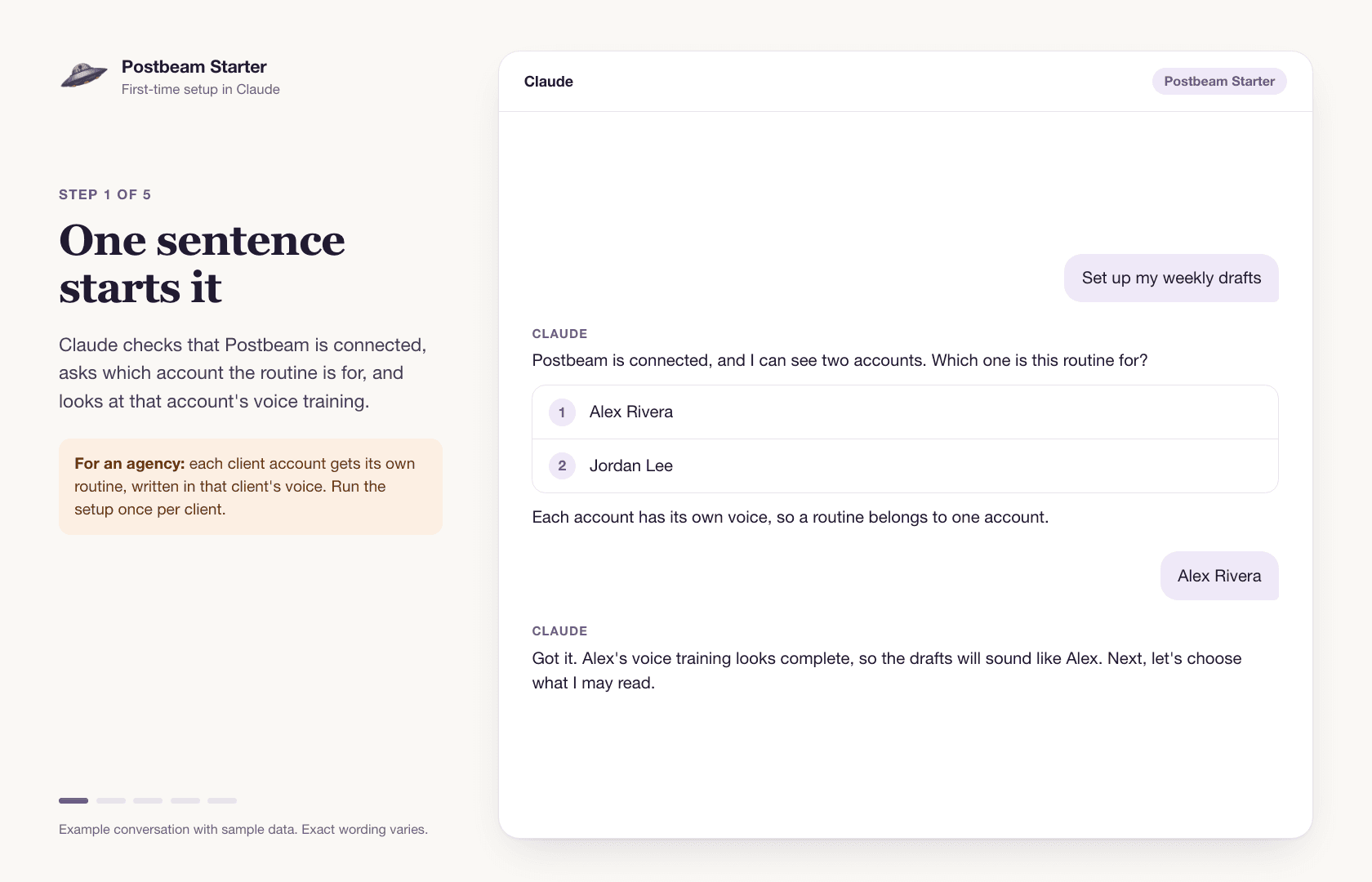
The whole setup is a short chat, about five minutes. One question at a time, with a sensible default each time so you can just say yes.
You pick where the ideas come from
Any of these, all of them, or none. Postbeam is the only thing you have to connect. Everything else is your call.
Call recorder or meeting notes
Granola, Fireflies, Fathom, Otter, Gong, Zoom
Usually the richest source. Stories, objections and the way you explain things out loud.
Team chat
Slack or Microsoft Teams
Decisions, customer questions and wins. Narrow it to one or two channels if you like.
Gmail or Outlook
Threads with customers, prospects and partners. Or just one label.
Nothing at all
Four short questions
No tools connected? It asks about your week and drafts from your answers.
No tools? It asks you four questions instead
- “What did a customer or prospect say this week that stuck with you?”
- “What did you find yourself explaining more than once?”
- “What did you change your mind about, or get wrong?”
- “What question do you keep getting asked?”
Built from how our best clients post every week
The clients who never run out of things to say don't brainstorm. They post about what already happened: the call, the question, the deal. Postbeam Starter turns that habit into a routine, so you get unique posts every week instead of generic AI takes.
A story from a call
The objection that changed how you pitch, or the answer that landed.
An opinion you shared
The take you gave in a meeting that nobody else in your market says out loud.
A lesson from a deal
What a win, a loss or a pilot taught you, with the number that proves it.
A question you keep getting
If three prospects asked it this week, your audience is asking it too.
What happens every week
By default: Monday at 8am, 3 drafts, looking back 7 days.
- 1Loads your Postbeam voice training and the notes on drafts you rejected, so it doesn't repeat the same mistakes.
- 2Checks your recent posts so this week's ideas are new.
- 3Reads only the sources you approved, read-only, for the past 7 days.
- 4Picks the moments with a concrete detail: a number, a quote, a turn of events.
- 5Writes one draft per moment and takes out client names, private numbers and deal terms.
- 6Saves each draft to Postbeam with a note on where the idea came from, then sends you a short summary.
Your agent runs it. You stay in charge.
These posts go out under your name, so the rules that matter are fixed in the skill.
Nothing is published without you
The routine never publishes, schedules or approves a post. Every draft waits in Postbeam until you approve it.
It reads only what you allow
Tools you decline are written into the routine as never to be read. Connected doesn't mean fair game.
Private details stay out
Client names, private numbers and deal terms are left out unless they're already public. Add your own off-limits list too.
It never makes things up
In a quiet week it writes fewer drafts and says so. It won't invent a story, a quote or a number.
The skill is only instructions and connector addresses. It runs no code and stores nothing itself. Sign-in is OAuth, and no credentials ship with it.
Free to use. No email gate.
No form, no newsletter, no “DM me for the link”. The skill is on GitHub under the MIT license. Copy it, fork it, read every line of it.
The drafts land in Postbeam, so you'll need a Postbeam account to run it. Postbeam has a 7-day free trial with no credit card, which is enough to see your first week of drafts before you pay anything.
Install it wherever your agent lives
The routine is the same everywhere. Only the install step changes.
Any AI agent
Send it: Can you save and set up this skill: https://github.com/Postbeam/postbeam-starter
Claude app (web or desktop)
Customize → Plugins → Add marketplace, paste https://github.com/Postbeam/postbeam-starter, add Postbeam Starter, connect Postbeam.
Claude Code
/plugin marketplace add Postbeam/postbeam-starter then /plugin install postbeam-starter@postbeam-starter, then sign in with /mcp.
Cursor, Codex and other agents
npx skills add Postbeam/postbeam-starter. The skill shows you how to connect Postbeam the first time it runs.
ChatGPT
Not in OpenAI's plugin directory yet. The package is ready and the setup already knows the ChatGPT steps. Until then, use the npx command in Codex.
Want Claude to do more than drafts, like analytics and scheduling? See the Claude LinkedIn connector.
Claude social media skill FAQ
What is a Claude skill?
A skill is a folder of instructions an AI agent loads when a task calls for it. Claude, Claude Code, Codex, Cursor and other agents can use them. You install a skill once and the agent knows how to do that job from then on. Postbeam Starter is a skill that sets up a weekly LinkedIn drafting routine.
Is there a Claude skill for LinkedIn and social media?
Yes. Postbeam Starter is a free Claude skill that turns what happened in your work week (calls, meetings, Slack, email) into LinkedIn drafts in your voice. It connects to Postbeam, asks which tools it may read, writes a first batch of drafts with you, and schedules the routine so new drafts are waiting every week.
Is Postbeam Starter free?
Yes. The skill is free and open source under the MIT license, and you can grab it from GitHub without giving anyone your email. It saves drafts into Postbeam, so you need a Postbeam account to run it. Postbeam has a 7-day free trial with no credit card, so you can see your first week of drafts before you pay anything.
Will it post to LinkedIn without me?
No. The routine never publishes, schedules or approves a post. Every draft waits in Postbeam until you approve it, because the posts go out under your name.
What does the skill read?
Only the tools you approve during setup, read-only, for the past 7 days. That can be a call recorder or meeting notes (Granola, Fireflies, Fathom, Otter, Gong, Zoom), Slack or Teams, Gmail or Outlook, or nothing at all. Tools you decline are written into the routine as never to be read, and you can narrow a tool to one channel, label or folder.
Which AI agents does it work with?
Claude on the web and desktop (as a plugin), Claude Code, Cursor, Codex and other agents that support skills. The easiest way is to send your agent this message: "Can you save and set up this skill: https://github.com/Postbeam/postbeam-starter". ChatGPT support is packaged and waiting on OpenAI's plugin directory.
Do I need a call recorder?
No. A call recorder or meeting notes is usually the richest source, but it's optional. With no tools connected, the routine asks you four short questions about your week and drafts from your answers.
How do I change or stop the routine?
Run the setup again. Say "Set up my weekly drafts" (or /weekly-drafts) and the agent finds your existing routine so you can change the day, add a tool, pause it or stop it.
Send one message. Get drafts every Monday.
Copy this, paste it to your agent, and it takes you through the rest.
Can you save and set up this skill: https://github.com/Postbeam/postbeam-starter
Paste it into Claude, Claude Code, Codex, Cursor or any agent that can save a skill. It saves the skill, connects Postbeam, and walks you through the rest.