
Yes - Claude has a LinkedIn connector
Connect Claude to LinkedIn with Postbeam. Draft posts from your week, see what to post next, and schedule it all - just by chatting. No terminal, no scripts, no account-safety risk.
Free 7-day trial, then from $39/mo · Cancel anytime
Officially listed in the Claude connector directory - add it in one click:
claude.ai/directory/connectors/postbeam↗Join hundreds of founders and teams already running LinkedIn from Claude.
Trusted by hundreds of fast-growing B2B teams






100s
of teams have connected Claude to LinkedIn with Postbeam
1,000s
of LinkedIn posts drafted and scheduled straight from chat
< 2 min
to set up - one URL, one click to authorize
How it works, in 3 minutes
Emil walks through connecting Claude to LinkedIn and running your whole content workflow from chat.
What Claude can do once it's connected
The connector gives Claude permission to run your LinkedIn workflow through your Postbeam account.
Draft posts from your week
Ask Claude to pull from your notes, threads, and meetings and turn them into ready-to-review LinkedIn drafts in your voice.
Know what to post next
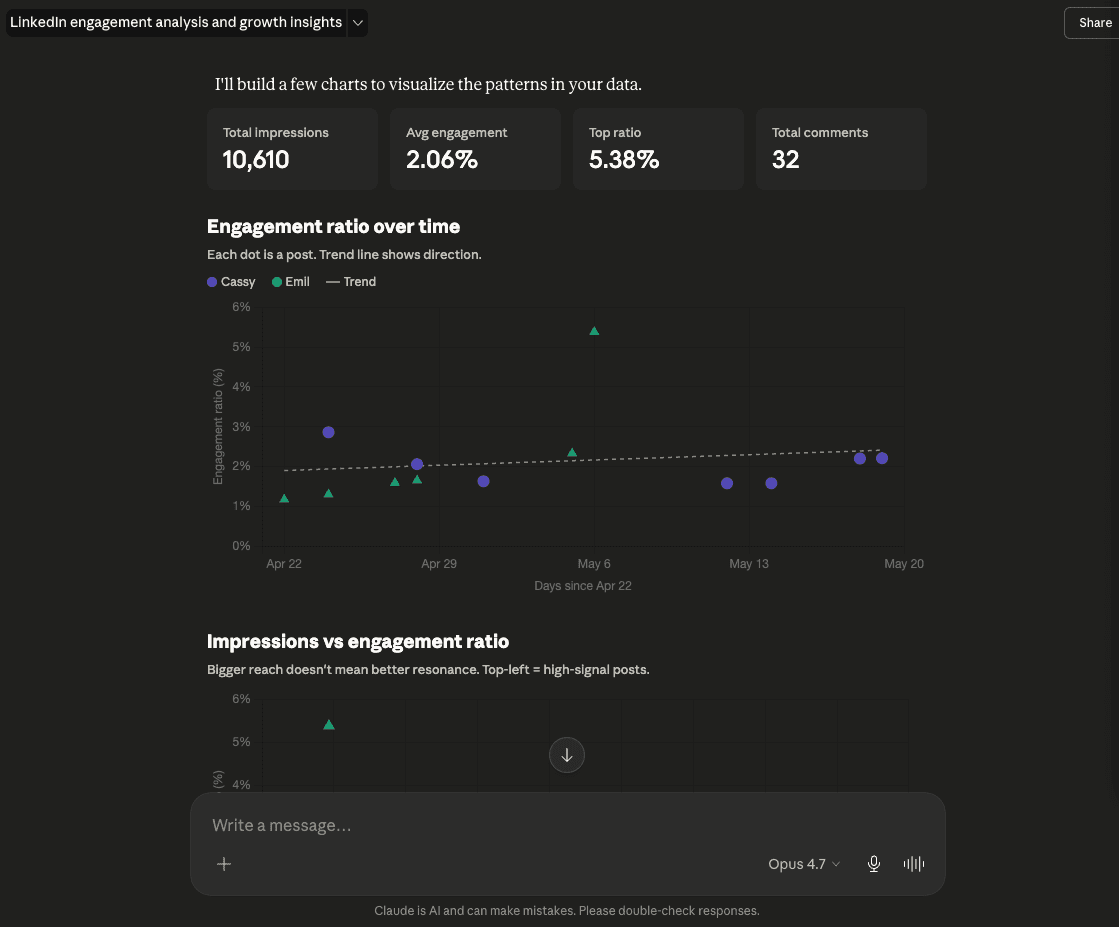
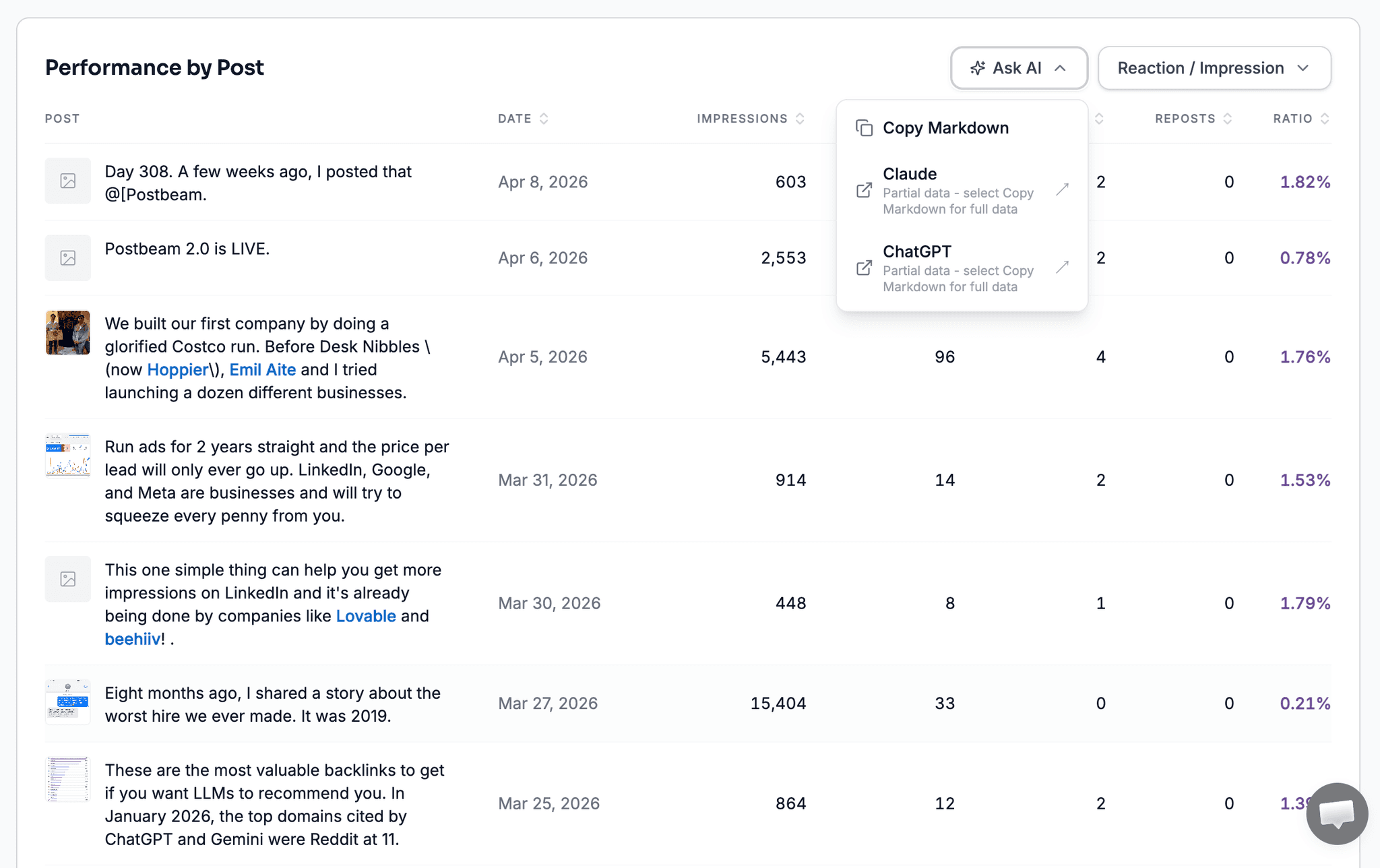
Ask Claude what's working in your analytics and get your next post drafted in that exact style.
Schedule straight from chat
Line up drafts, attach images, and schedule them to publish - all without leaving Claude.
Run it on autopilot
Use Claude's scheduled tasks so drafts and analytics reports land in your queue every week.
Connect Claude to LinkedIn in one click
Postbeam is in the official Claude connector directory. No code, no terminal, no URLs to paste.
- 1
Get a paid Claude plan
Custom connectors require Claude Pro, Max, Team, or Enterprise - they aren't available on the free plan. - 2
Open Postbeam in the Claude connector directory and click Connect
Postbeam is officially listed at claude.ai/directory/connectors/postbeam - one click, no URLs to paste. Prefer manual setup? Add a custom connector with the server URL instead. - 3
Click Allow to authorize your Postbeam account
A secure OAuth sign-in opens - approve it and you're connected. - 4
Done - start chatting
Try “Draft a LinkedIn post about our launch” or “How did my last post perform?”
Seeing invalid_token / No authorization provided? That means you opened the URL directly in a browser - it's a connector endpoint, not a web page. Add it as a custom connector in Claude and authorize, and it'll work.
Claude LinkedIn connector FAQ
Does Claude have a LinkedIn connector?
Yes. Postbeam's LinkedIn connector is officially listed in the Claude connector directory at claude.ai/directory/connectors/postbeam. On a paid Claude plan you add it in one click and authorize your Postbeam account. Claude can then draft LinkedIn posts in your voice, pull your analytics, and schedule content, all from chat.
How do I connect Claude to LinkedIn?
On a paid Claude plan, open Postbeam in the Claude connector directory at claude.ai/directory/connectors/postbeam, click Connect, and authorize your Postbeam account - it takes a few seconds. You can also add it manually as a custom connector with the server URL https://app.postbeam.ai/mcp.
Is the Claude LinkedIn connector safe?
Yes. The connector authorizes through a secure OAuth flow to your Postbeam account - it never touches your LinkedIn password, and it publishes through compliant, supported channels. You can revoke the connector at any time from your settings.
Do I need a paid Claude plan?
Yes. Connectors require a paid Claude plan (Pro, Max, Team, or Enterprise) - they aren't available on the free plan. You'll also need a Postbeam account, which starts with a free trial.
Can Claude schedule and automate my LinkedIn posts?
Yes. Once connected, Claude can schedule drafts to publish, and you can use Claude's scheduled tasks to run recurring prompts - for example, drafting three posts every Monday from your week's notes, or sending a weekly analytics report with fresh drafts.
Hear it from them
Hundreds of people already run LinkedIn this way
Daniel connects Claude to Postbeam on a weekly schedule - here's what that looks like in practice.
“My favorite feature is Postbeam's MCP connection to Claude. I connect Fathom, Notion, and Slack into Claude, and on a weekly scheduled run Postbeam synthesizes it all into content I review and schedule right there.”
Daniel Zhao
Head of Finance, Landbase
“I'm obsessed with Postbeam. The gap it fills in my content pipeline is social listening, specifically the conversations my ICP is engaged in on LinkedIn.”
Hillary Lyons
Founder & CEO, Syntropy
“We come across hot leads within our ICP that we otherwise wouldn't have seen, and it's been a really awesome way to open doors and have conversations that wouldn't have happened in the first place.”
Danika Chilibeck
Co-Founder & Head of GTM, Caddie AI
Run LinkedIn from Claude
Connect the LinkedIn connector and start drafting, scheduling, and analyzing by chat.
Also works with ChatGPT, Gemini & Poke - see the LinkedIn MCP.