
.png&w=256&q=75&dpl=dpl_Dgp7hvxu4FSeyoii85vf3en4Borc)
Postbeam + ChatGPT
Postbeam connects ChatGPT to your LinkedIn content workflow, so you can draft, review, schedule, and analyze posts without leaving the chat - working with your real posts, your writing guidance, and your performance data.
Free to install · Included with every Postbeam plan
A chat box you can actually run LinkedIn from
Once connected with your Postbeam account, ChatGPT becomes the place you run your LinkedIn presence and strategy.
Draft in your voice, from your real work
Ask ChatGPT to write a post and it pulls in your Postbeam content training - your mission, audience, format rules, and content sources - so every draft sounds like you.
It can also draw raw material from the other tools you've connected to ChatGPT (Slack threads, Gmail, meeting recorders like Fellow or Granola) and turn real customer calls, shipped features, or team wins into finished posts. Drafts are saved straight into Postbeam for review.
.png&w=48&q=75&dpl=dpl_Dgp7hvxu4FSeyoii85vf3en4Borc) Postbeam
Postbeam
I built a “working” product demo last week. None of it was real.
I'll be honest, my old instinct would've been to spend two weeks building the actual feature just to find out if anyone wanted it. Code first, validate later…
✓ Saved as a draft in Postbeam
Edit, organize, and manage your queue
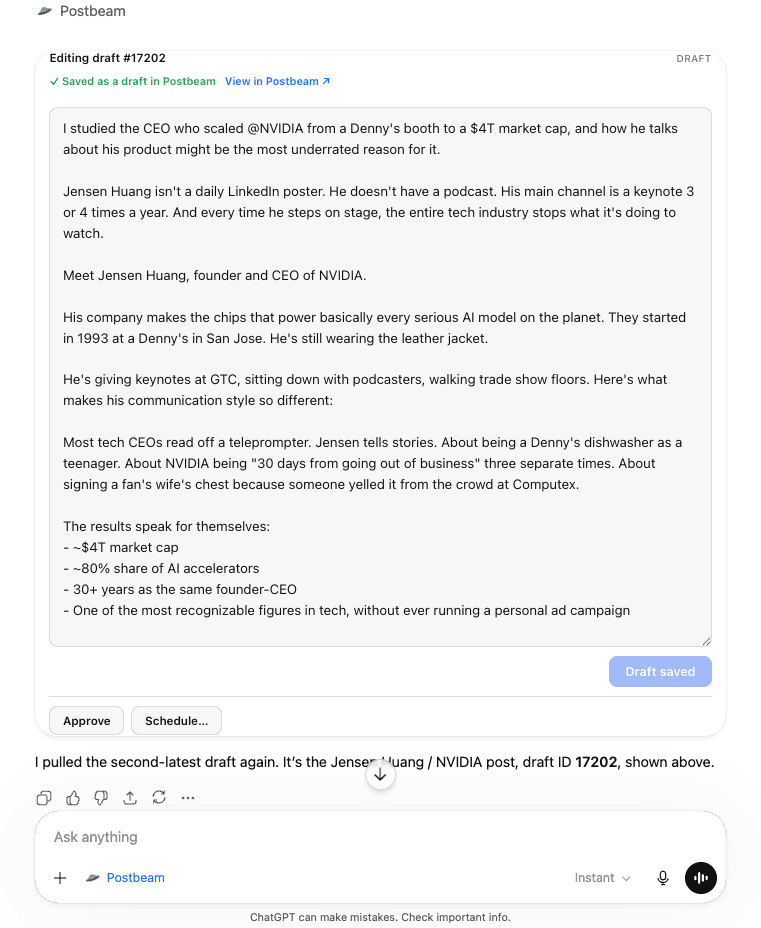
Review your most recent drafts, pull up any single post, and edit its copy or title - all by chatting. You can attach media: images, video, or carousel posts.
List posts by status - draft, approved, scheduled - to see exactly where everything stands.
Carousels are now live on Postbeam!
Jun 1 · 3 media
I built a “working” product demo last week…
Draft #17759
I studied the CEO who scaled NVIDIA…
Draft #17202
Approve and schedule when you're ready
When a draft is ready, ChatGPT can approve it and schedule it to publish to your connected LinkedIn at a specific time.
Nothing publishes automatically - drafts stay drafts until a person decides otherwise, and approving or scheduling respects the permissions on your account.
Editing draft #17759
Approved✓ Saved as a draft in PostbeamView in Postbeam ↗
I built a “working” product demo last week. None of it was real.
Got a list 👇
Understand what's working
Ask what's performing and get answers from your cached analytics: account-level totals with a daily trend, plus per-post breakdowns over 30-, 90-, or 365-day windows.
Use it to spot your best formats and hooks, then immediately draft your next post in that proven style.
Last 30 Days Analytics
1,252
Impressions
157
Followers gained
495
Members reached
22
Reactions
Quick ratios
- Follower growth per impression: ~12.5%
- Reaction rate: ~1.8%
- Average daily impressions: ~42
Built for teams and agencies
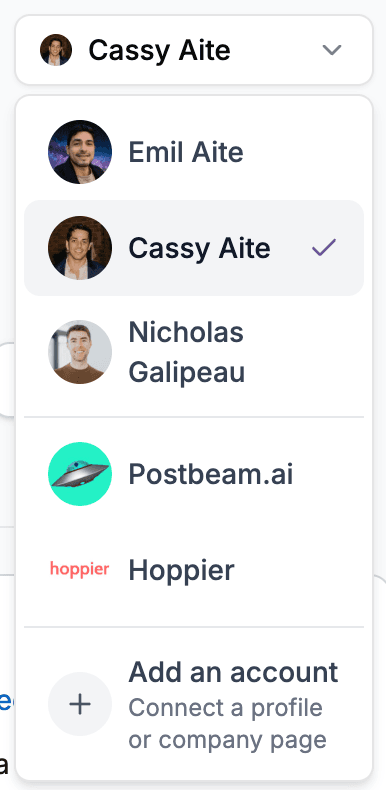
Postbeam supports multiple accounts in one place. ChatGPT can list every account you can access, so agencies and teams can switch between clients or teammates.
Each person's drafts, approvals, and analytics stay cleanly separated.
Everything the Postbeam app for ChatGPT can do
- Draft posts in your voice using your Postbeam content training
- Turn Slack threads, emails, and meeting notes into posts via your other ChatGPT connectors
- Save every draft straight into Postbeam for review
- Edit copy and titles, and attach images, video, or carousels
- List posts by status - draft, approved, or scheduled
- Approve drafts and schedule them to your connected LinkedIn
- Account-level and per-post analytics over 30-, 90-, or 365-day windows
- Switch between every account you can access - built for teams and agencies
Set up in about 2 minutes
Install from ChatGPT's app directory - no URLs to paste, no code.
- 1
Open the Postbeam app page in ChatGPT
Open the Postbeam listing in the ChatGPT app marketplace or search for “Postbeam” in ChatGPT's app directory. - 2
Click Connect
- 3
Sign in with your Postbeam account and approve access
A secure OAuth flow links ChatGPT to your Postbeam account - revoke it anytime from your settings. New to Postbeam? Start with a free 7-day trial. - 4
Mention Postbeam in any chat
Try “Ask Postbeam to show my drafts” or “Draft a LinkedIn post about this week's launch.”
Frequently asked questions
Will ChatGPT publish posts automatically?
No. Nothing publishes automatically - drafts stay drafts until a person decides otherwise, and approving or scheduling respects the permissions on your Postbeam account.
Where do the drafts live?
Every draft is saved straight into Postbeam for review, so your whole queue stays in one place whether it was written in ChatGPT or in Postbeam.
How does it write in my voice?
Drafts pull in your Postbeam content training - your mission, audience, format rules, and content sources - so every post sounds like you, not generic AI.
Can it use material from my other tools?
Yes. Because it works inside ChatGPT, it can draw raw material from the other tools you've connected there - Slack threads, Gmail, meeting recorders like Fellow or Granola - and turn real customer calls, shipped features, or team wins into finished posts.
What analytics can it show?
Account-level totals (impressions, reactions, comments, reshares, followers gained, members reached) with a daily trend, plus per-post breakdowns over 30-, 90-, or 365-day windows - all from your cached Postbeam analytics.
Does it work for teams and agencies?
Yes. ChatGPT can list every account you can access in Postbeam, so agencies and teams can switch between clients or teammates while keeping each person's drafts, approvals, and analytics cleanly separated.
How much does it cost?
The app is free to install and included with every Postbeam plan - and because it's a listed marketplace app, it works on free ChatGPT accounts too. Postbeam plans start at $49/month with a 7-day free trial.
Is there another way to connect ChatGPT?
Yes - advanced users can add Postbeam as a custom MCP connector with the URL https://app.postbeam.ai/mcp. For most people the app install is the fastest path.
How do I get support?
Email team@postbeam.ai - we respond within 2 business days.
Keep exploring
Claude integration
Prefer Claude? Postbeam is in the Claude connector directory - add it in one click.
Slack integration
Notify your team in Slack the moment anyone publishes a post.
LinkedIn MCP
The full MCP guide - including Gemini and Poke setup.
Pricing
Simple plans - every integration is included in all of them.
Run your LinkedIn from ChatGPT
Install the app, connect your Postbeam account, and draft your next post without leaving the chat.